Our professional team has conducted tests and analysis on 8 of the best 2-in-1 laptops that are available in India – starting with the affordable convertibles and going up to the high-end powerhouse laptops. These best convertible laptops in India are also varying very much in the price, performance and also design but each of them is also coming with their own set of advantages and some trade-offs also.
Assuming you are attempting to make a comparison between convertible laptops, then please start with two choices only: the form factor (means flip laptops which is rotating full 360° vs. the touch screen detachable laptops which is separating completely into two pieces) and your budget (entry-level options under 80,000, mid-range powerhouse ones, or the premium all-rounder type). We have indicated clearly the model that is suiting whom, and what is the daily life experience with it (like display quality, the keyboard comfort, pen support is there or not, and is it actually working properly like a tablet or not).
One huge thing is also budget. We have included one best budget 2-in-1 laptop pick and some of the “worth it” upgrade options because you only make sense to spend the extra money when you are actually going to use that premium display or the faster processor, otherwise no point.
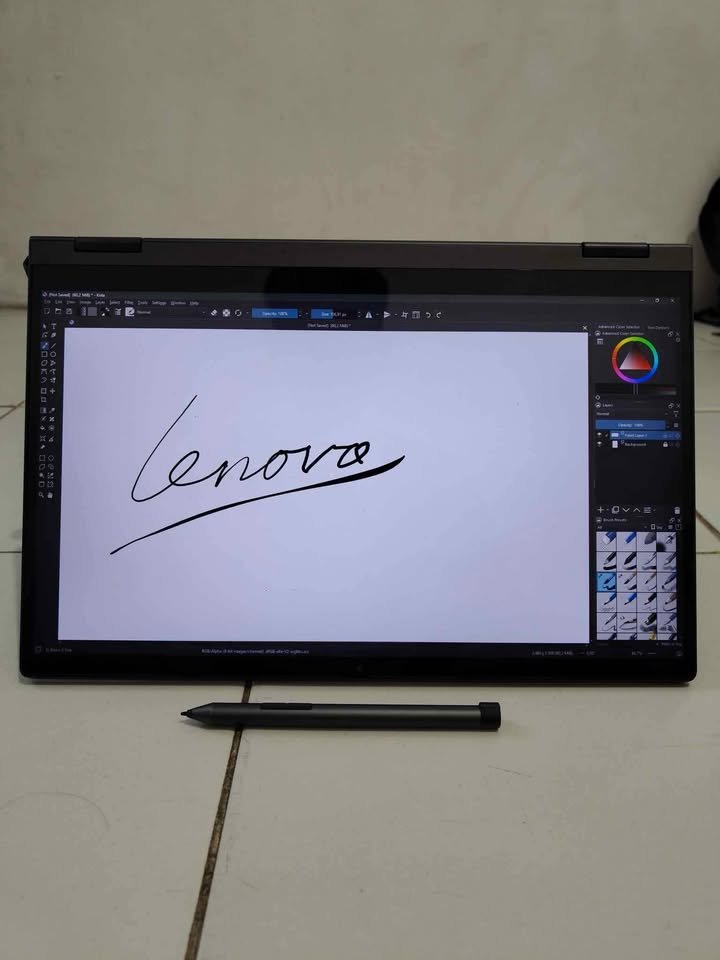
The Lenovo IdeaPad 5 2-in-1 is one 14″ OLED convertible machine which is coming with AMD Ryzen AI 7 350 processor inside, 24GB of RAM, and 1TB SSD storage — this is making it one of the best-value 2-in-1 convertible laptop in India. The weight is only 1.5 kg, it is shipping along with the Digital Pen 2 in the box itself, and the price is kept at ₹99,990 which is giving very compelling all-round experience to the user. This one is the highest-value 2-in-1 laptop with the pen support that we have evaluated in all the eight models which we tested.
Here is a quick comparison table of the best 2-in-1 laptops in India:
| Product | Processor | Display | USP |
| Lenovo IdeaPad Flex 5 | AMD Ryzen 7 5700U | 14″ WUXGA IPS | Budget 2-in-1 with touchscreen and 360° hinge |
| Lenovo IdeaPad 5 2-in-1 | AMD Ryzen AI 7 350 | 14″ WUXGA OLED | Copilot+ AI PC with 24GB RAM and digital pen |
| HP Envy x360 | Intel Core Ultra 5 125U | 14″ 2.8K OLED | IMAX-enhanced display with 5MP IR camera |
| ASUS Vivobook 14 Flip | Intel Core Ultra 7 256V | 14″ WUXGA OLED | 47 TOPS NPU with Wi-Fi 7 and Thunderbolt 4 |
| Microsoft Surface Pro 11 | Snapdragon X Plus | 13″ 2.8K LCD PixelSense | Ultra-flexible tablet-first design with 165° kickstand |
| Lenovo Yoga 7 2-in-1 | Intel Core Ultra 7 258V | 14″ 2.8K WQXGA+ OLED | Premium Copilot+ build with 32GB RAM and Yoga Pen |
| Apple iPad Pro 13 M5 | Apple M5 | 13″ Ultra Retina XDR OLED | Best-in-class tablet experience with ProRes video and Wi-Fi 7 |
| ASUS Zenbook Duo | Intel Core Ultra 7 355 | 14″ 3K OLED 144Hz | Dual-screen productivity powerhouse with 99Wh battery |
What’s the best 2 in 1 laptop for you?
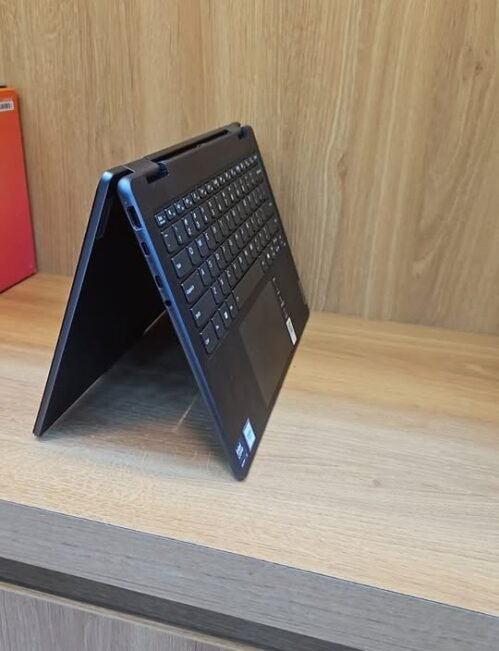
01. Lenovo Yoga 7 2-in-1 (Intel Core Ultra 7 258V)
Our verdict
The Lenovo Yoga 7 2-in-1 is straight away my obvious pick for best overall convertible laptop in India, and honestly I am confident it is also the best flip type touch screen laptop you can buy in today’s date.
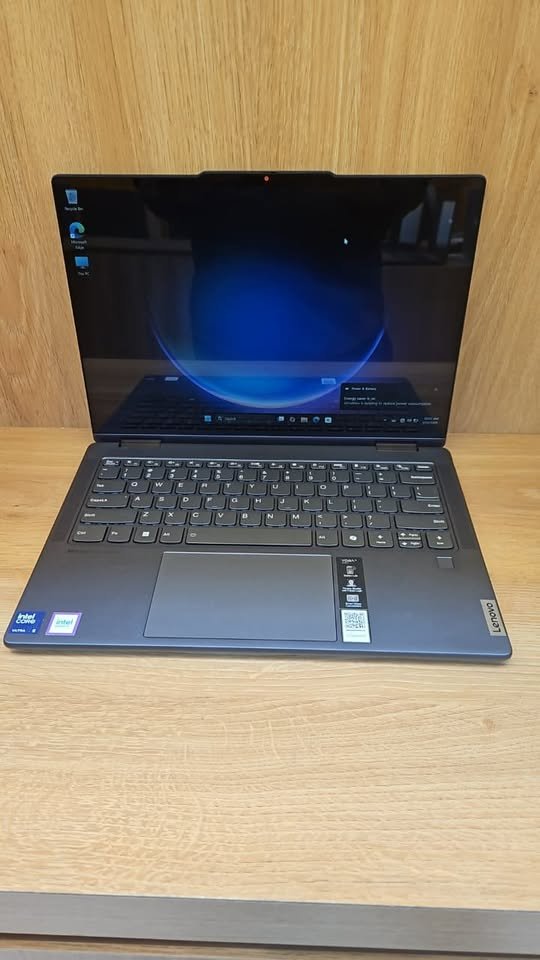
Keeping this in my mind, I just had to test it properly and it is living up to the hype, even more than that. I am not doing exaggeration when I say it has fully changed my daily workflow. Now I am getting more confidence to switch between presentation mode during client calls, tent mode for Netflix watching in evening time, and full tablet mode when I am doing rough sketching of notes in brainstorming sessions. For daily multitasking also it is performing very well (and for creative work also same thing), giving the most smoothest experience I ever got on any convertible laptop in India till now.
Unlike the budget 2 in 1 laptops in India which sometimes feel little bit restricted in nature, like our budget pick the Lenovo IdeaPad Flex 5, here the Yoga 7 is packing a generous 32GB LPDDR5x RAM and one fast 1TB NVMe SSD, which is giving more than enough headroom for my type of workflow where fifteen browser tabs, Figma and Spotify are running together at one time.
One more good thing, you are getting the Yoga Pen inside the box only, so no need to spend extra money on separate stylus. Whether you are doing annotation on PDFs for university work or sketching wireframes for some client pitch, I am also liking how the 2.8K OLED panel is showing the colours with very accurate output, thanks to 100% DCI-P3 coverage, which is making this one of the best 2 in 1 laptops with pen support in the market right now. The display is genuinely a beautiful one – deep black levels, vibrant colour output, and that kind of contrast which is making normal IPS panel look dull side by side.
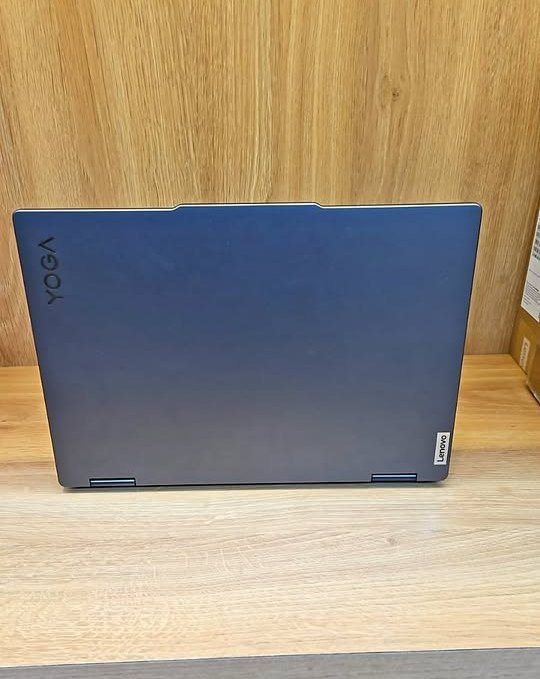
Only one real downside is the cost factor, but this versatile Lenovo convertible is offering excellent value for money in long run usage. I will definitely recommend it for professionals and also for students who are wanting the best and can stretch their budget little more.
Key specs
| Factor | Lenovo Yoga 7 2-in-1 |
| Processor | Intel Core Ultra 7 258V (up to 4.8 GHz, 47 TOPS) |
| RAM | 32GB LPDDR5x-8533 (Soldered) |
| Storage | 1TB PCIe 4.0 NVMe SSD |
| Display | 14″ 2.8K OLED, 2880×1800, 1100 nits peak |
| Touchscreen | Yes (Yoga Pen included) |
| Form Factor | 360° Convertible (Flip) |
| GPU | Integrated Intel Arc Graphics 140V |
| Weight | 1.38 kg |
| Battery | 70Wh (~16 hours) |
| Wi-Fi | Wi-Fi 7 (802.11be) |
| Bluetooth | 5.4 |
| OS | Windows 11 Home + Office 2024 |
| Ports | 2x Thunderbolt 4, 1x USB-A, HDMI, 6 total |
| Warranty | 1 Year Onsite + 1 Year ADP + 1 Year Premium Care |
02. Lenovo IdeaPad Flex 5 (Ryzen 7 5700U)
Our verdict
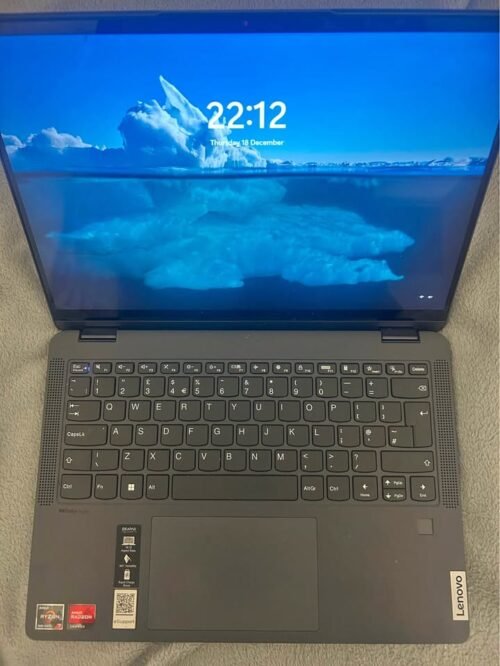
If your budget is not reaching till Yoga 7, or you are first time buyer in flip laptop world, then Lenovo IdeaPad Flex 5 is very nice option for you. Even though price is affordable, I found this 2 in 1 convertible laptop India quite easy to use in daily life, and the 16GB RAM with 512GB SSD combo is more than enough for most students and home users.
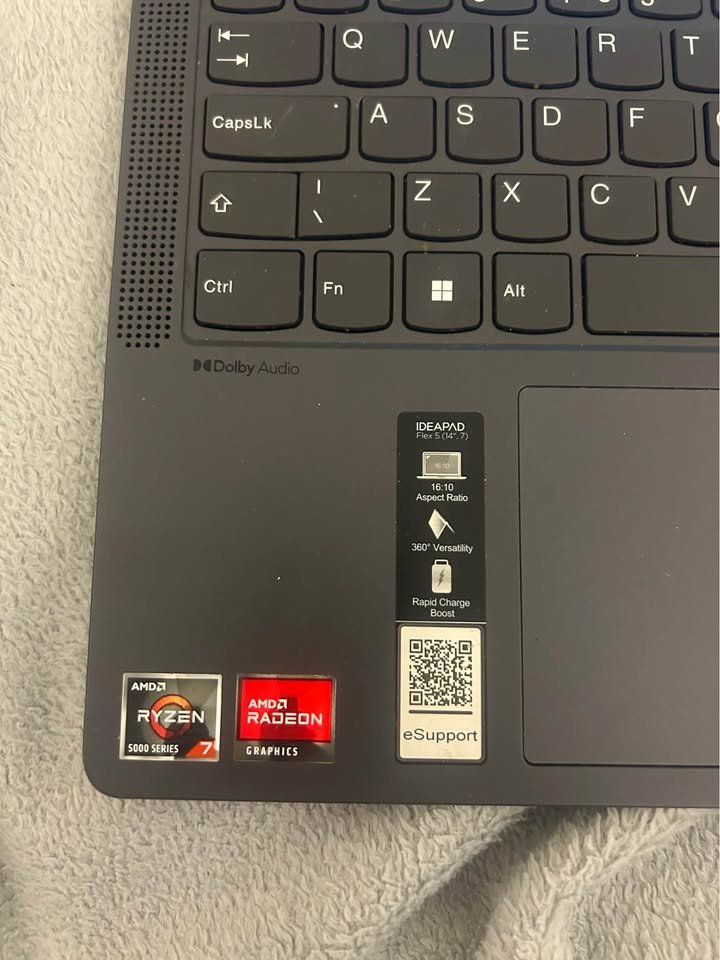
The AMD Ryzen 7 5700U is having eight cores and sixteen threads, so you can do everything from Google Workspace to some light video editing in DaVinci Resolve without much problem. During my testing time, I also liked one thing very much, that switching between laptop and tablet mode was so smooth because of the 360-degree hinge, which made Flex 5 a flexible choice for whatever work I was doing.
Results are speaking by themselves only: apps are opening fast, multitasking is smooth even with one dozen Chrome tabs open, and typing on backlit keyboard feels comfortable, and all this is coming at a price which is not hurting your wallet. This is easily the best 2 in 1 laptops in India under 80000 which you can buy right now.
I liked this laptop so much that I even suggested it to my cousin sister who was just joining college (I am keeping rotation of laptops for testing purpose, otherwise I would have kept this one only for myself!). She also gave big thumbs up to it, and said “It is doing everything what I need!”, and even her engineer father, who is normally doubtful person, became full fan of it.
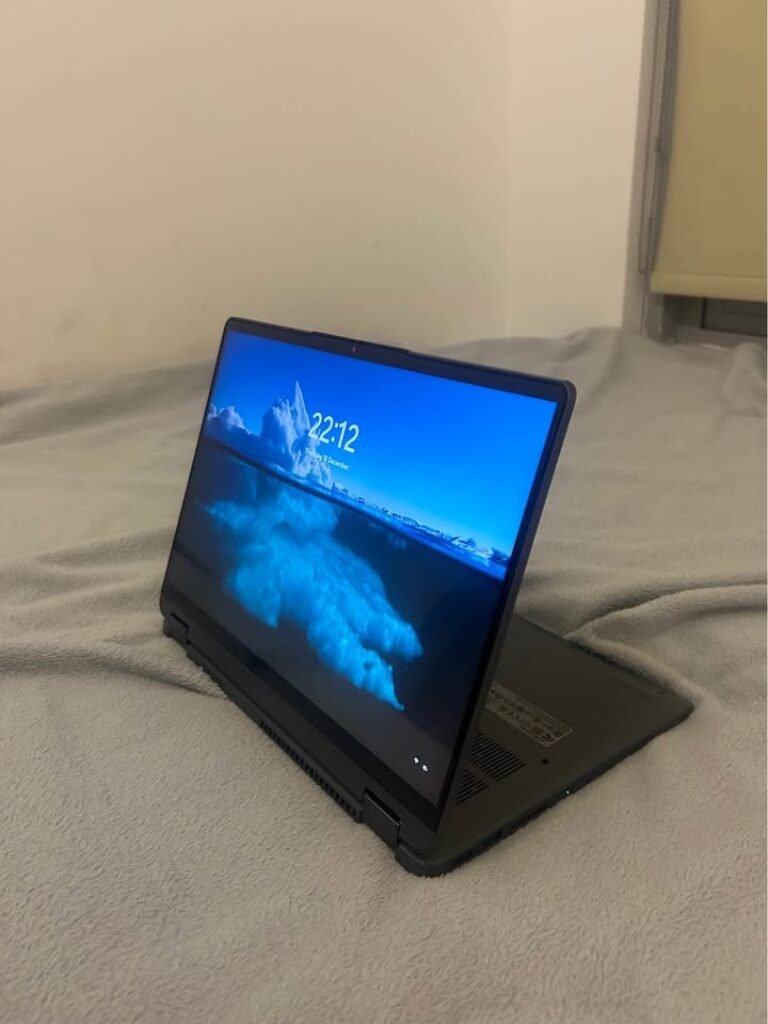
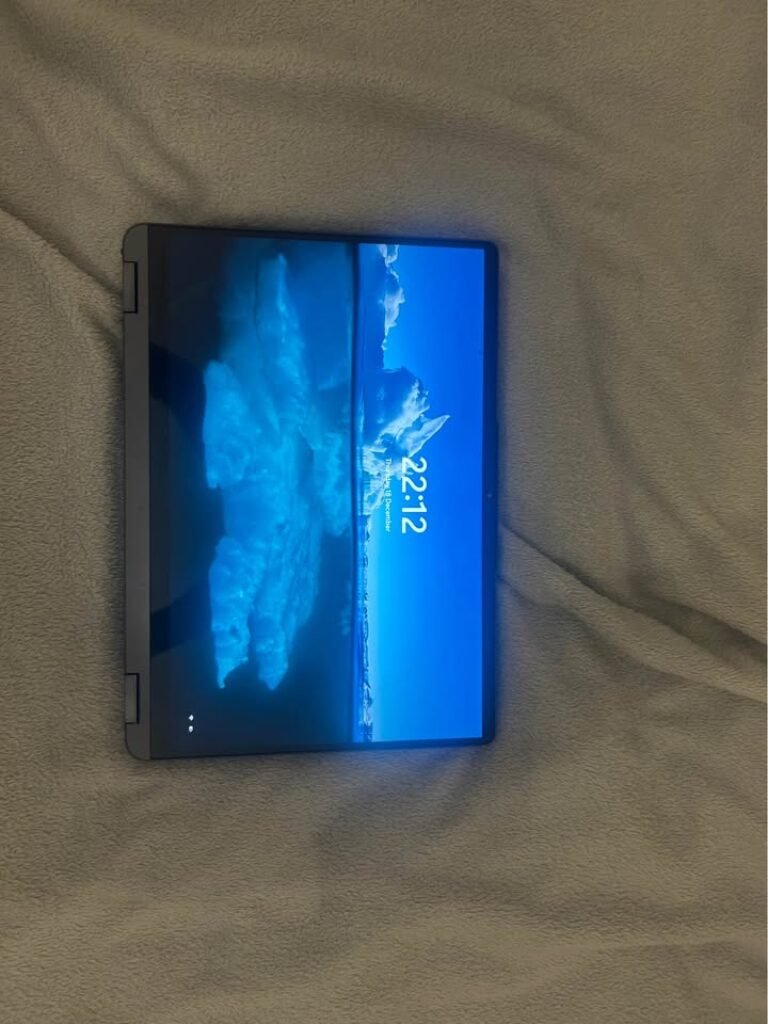
My only small complaints are that the IPS display is looking little dull when you put it next to OLED panels of costly models, and the 45% NTSC colour gamut is meaning it is not suitable for serious photo or video editing work. Also, even though the laptop is lightweight, the users who are wanting pen in the box will have to buy it separately, though stylus input is supported, which itself is a good thing at this price point.
Key specs
| Factor | Lenovo IdeaPad Flex 5 |
| Processor | AMD Ryzen 7 5700U (8C/16T, up to 4.3 GHz) |
| RAM | 16GB LPDDR4x-4266 |
| Storage | 512GB SSD (Upgradable to 1TB) |
| Display | 14″ WUXGA IPS, 1920×1200, 300 nits, 45% NTSC |
| Touchscreen | Yes (10-point, 360°) |
| Form Factor | 360° Convertible (Flip) |
| GPU | Integrated AMD Radeon Graphics |
| Weight | 1.55 kg |
| Battery | Not disclosed |
| Wi-Fi | Wi-Fi 6 (802.11ax) |
| Bluetooth | Yes |
| OS | Windows 11 Home + Office Home 2024 |
| Ports | 3x USB (incl. USB-C), HDMI |
| Warranty | 1 Year Onsite |
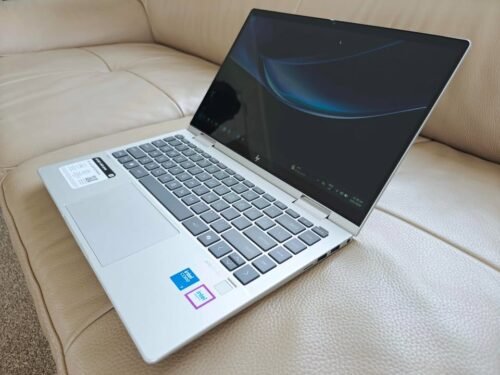
03. HP Envy x360 (Intel Core Ultra 5 125U)
Our verdict
If you are searching one flip type laptop with touch screen which is mainly for watching purpose, then HP Envy x360 is definitely good option to think about. It is working in same way like other famous convertible laptops in this list, but it is standing out because of the stunning 2.8K OLED display, which is giving such colour accuracy and deep black colours that doing binge-watch on Netflix feels almost like sitting in cinema hall. This means I am able to do my Excel sheets in office time, and also enjoy movie marathon in weekend, both equally easy.
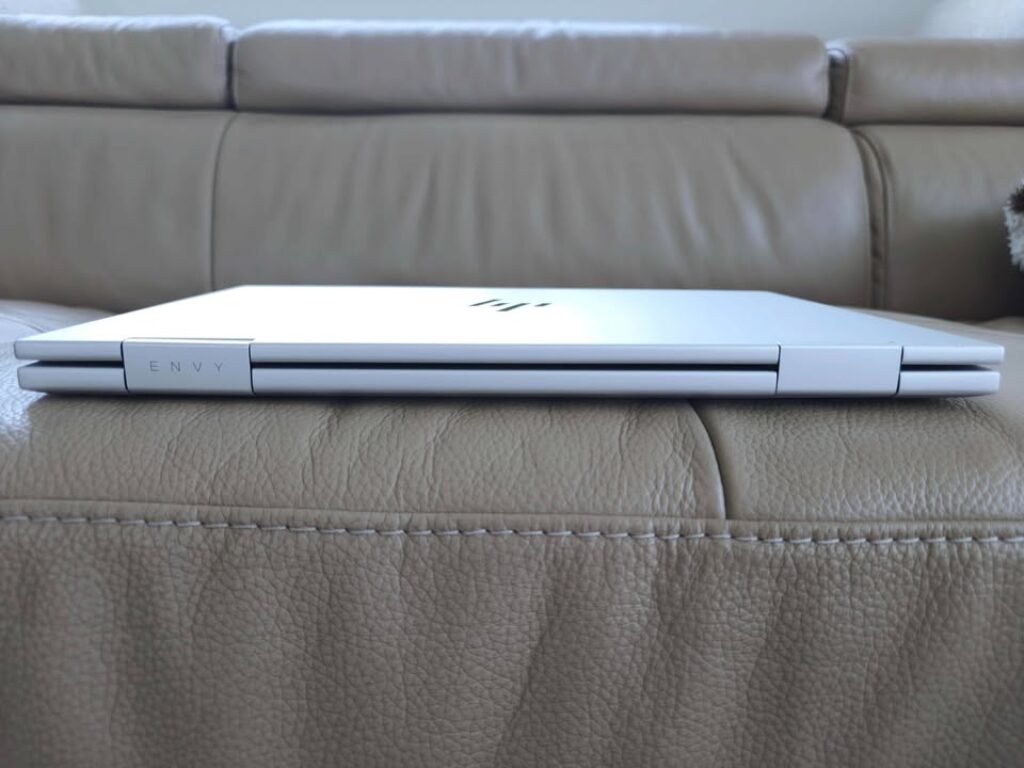
The Intel Core Ultra 5 125U is not the most powerful chip in our list, but still I am impressed with the performance which Envy x360 is giving for daily productivity works. With 16GB LPDDR5 RAM inside, the multitasking was feeling smooth and quick, and the 59Wh battery is easily running full one working day with mix usage. The fast charging is also like life-saver thing, because to fill 50% battery in only 30 minutes is meaning I am rarely getting stuck when I am hurrying for some meeting.
The 5MP IR camera is one more highlight which I want to mention. Because of auto-frame technology and AI noise reduction, the video calls are looking much more better compare to most laptops which I have tested before, and this is real benefit if you are spending many hours daily on Zoom or Teams.
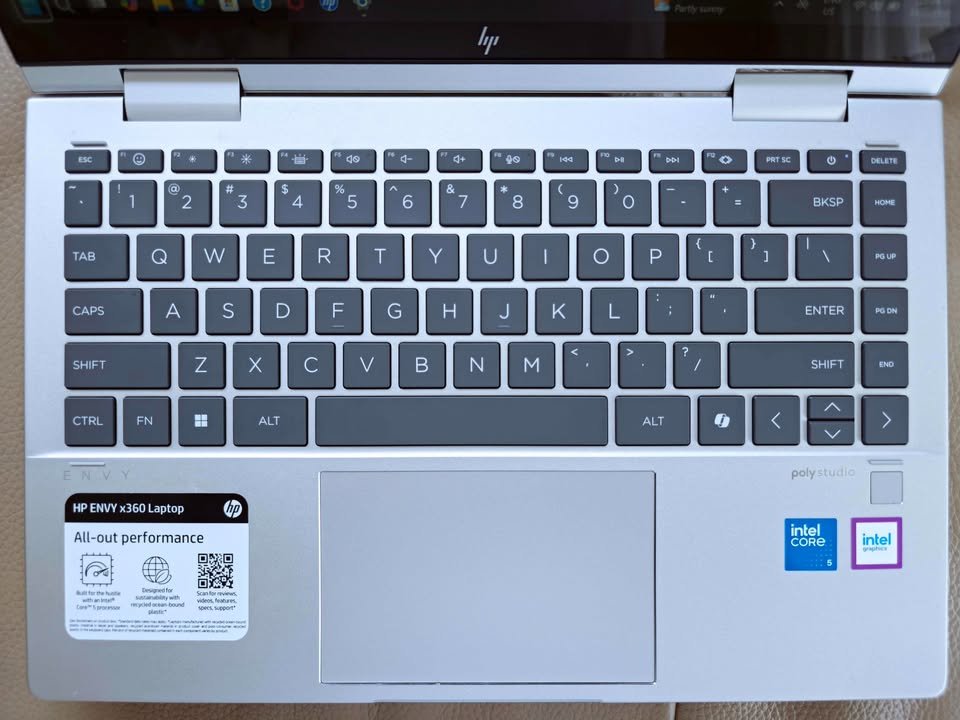
The main problem for power users is this Intel Core Ultra 5 processor only. It is handling everyday work very nicely, but if you are doing heavy creative softwares regularly, then maybe you should go for one of the Ultra 7 models from our list. But for students, movie lovers and also professionals who is giving more value to beautiful display than anything else, the HP Envy x360 is one brilliant choice. I am personally using it three to four days in week for my writing and research work, and for a laptop which weight is only 1.44 kg, I am feeling it is really giving very good value of money.
Key specs
| Factor | HP Envy x360 (Core Ultra 5 125U) |
| Processor | Intel Core Ultra 5 125U (12C, up to 4.3 GHz, 12 TOPS) |
| RAM | 16GB LPDDR5 |
| Storage | 512GB NVMe SSD |
| Display | 14″ 2.8K OLED, 2880×1800 |
| Touchscreen | Yes (finger touch, no pen included) |
| Form Factor | 360° Convertible (Flip) |
| GPU | Integrated Intel Graphics |
| Weight | 1.44 kg |
| Battery | 59Wh (~10.5 hours) |
| Wi-Fi | Wi-Fi 5 |
| Bluetooth | Yes |
| OS | Windows 11 Home + Office 2024 |
| Ports | 4x USB, HDMI, 4 total |
| Warranty | Standard Limited |
04. ASUS Zenbook Duo (Intel Core Ultra 7 355)
Our verdict
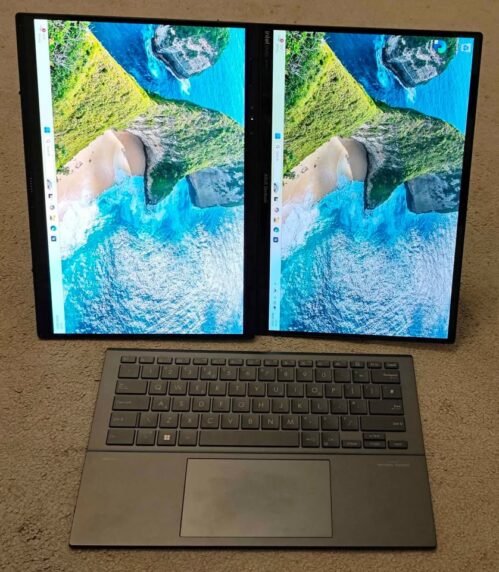
You all have heard about convertible laptop in India, but now let me introduce one new kid in the market: the dual-screen laptop. The design of ASUS Zenbook Duo is very innovative and it impressed me a lot when I was doing the testing, and honestly speaking, now it has taken full place in my creative work setup.
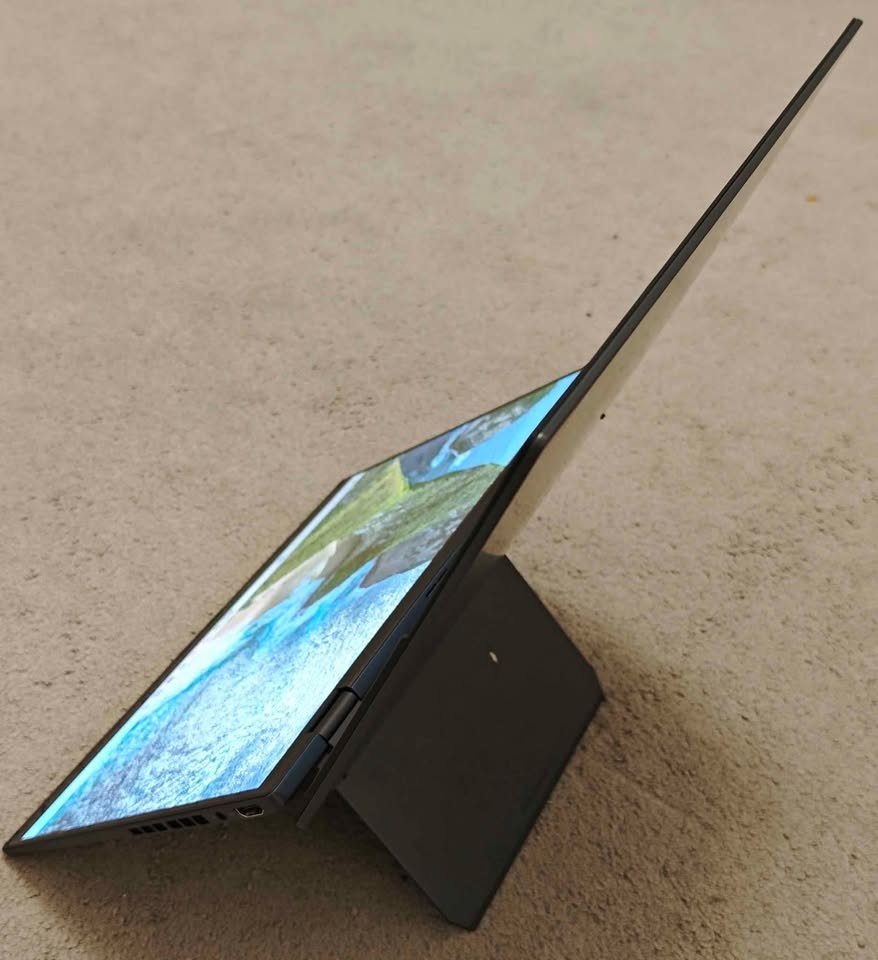
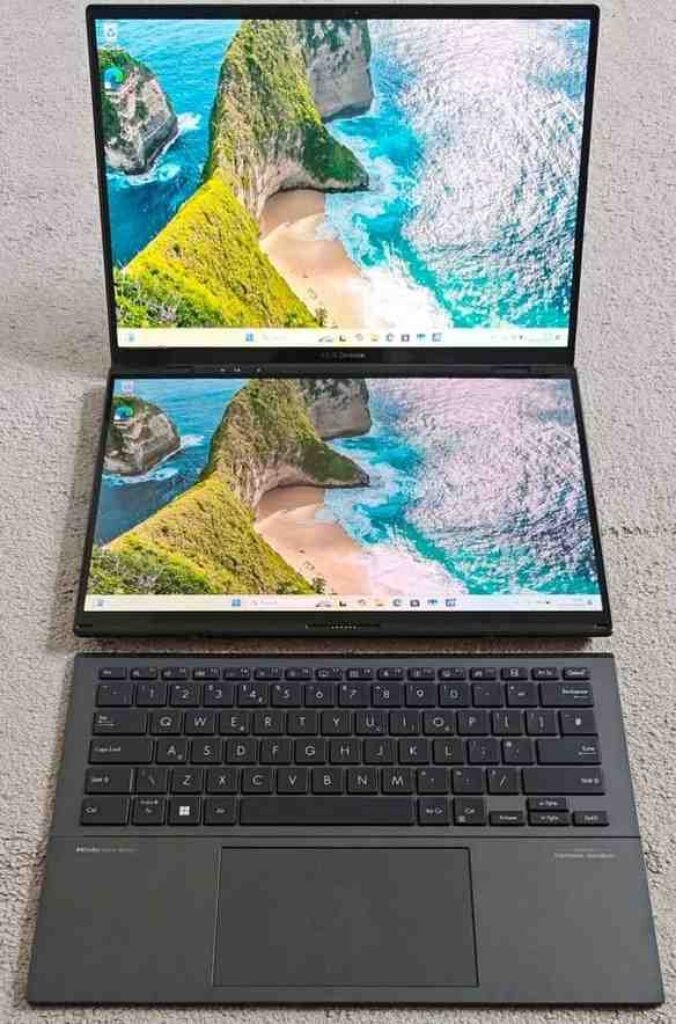
The laptop is looks premium and also feels very sturdy in hands, but the main thing which won my heart is the layout itself, two full 14″ 3K OLED touchscreen which you can keep side by side, or stack one above other, or even detach fully, which gives a very big canvas for doing creative works. In my home where design briefs and coding projects both are happening together, having two fully separate screens has made the multitasking job much more easy and less messy also.
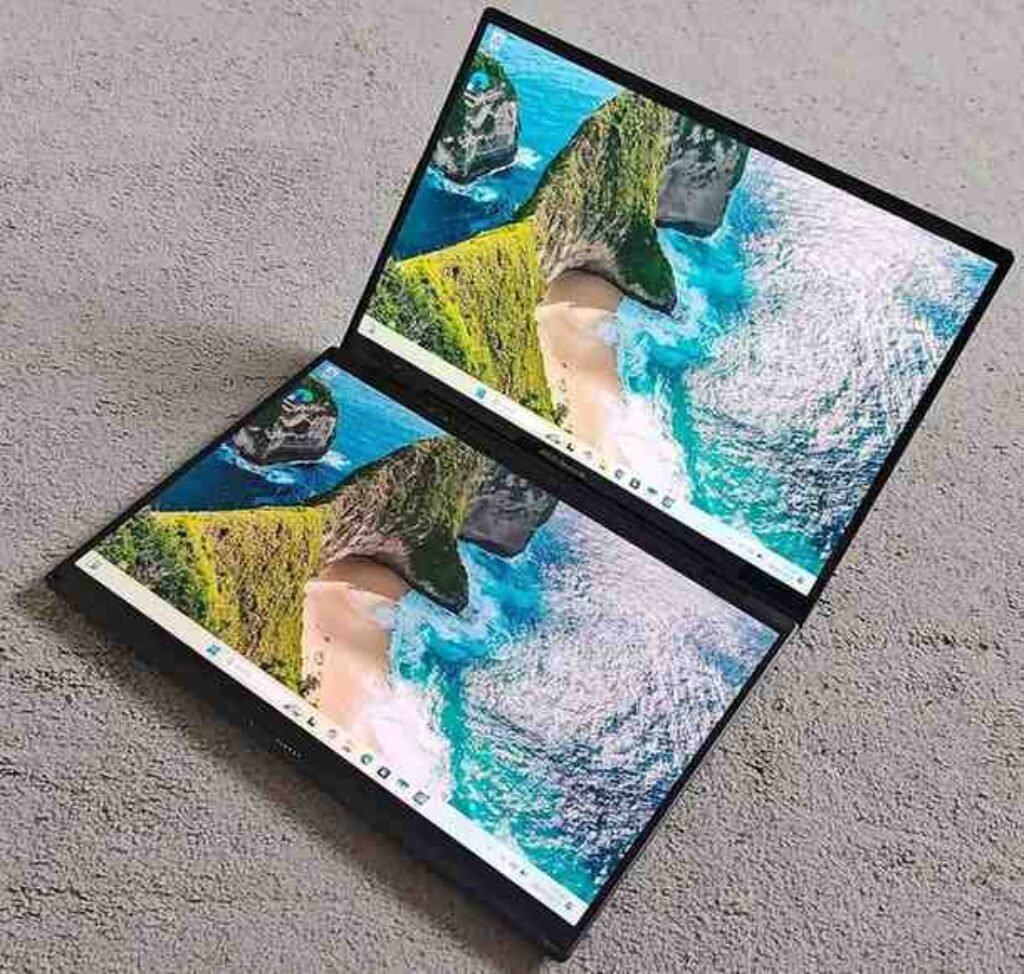
Talking about the performance side, it has been fast and reliable everytime. We have thrown all type of heavy work on it, like Photoshop editing, Premiere Pro timeline work, Figma prototyping and also the normal browser heavy research sessions, and the laptop handled all these things very nicely. The second screen is working like one extended canvas, which is very useful for keeping reference images or toolbars on it, although the soft keyboard is needing some time to get used to when you compare with the normal hardware keyboard layout. The 100% DCI-P3 colour gamut is just a dream thing for colour-critical works, and the 144Hz refresh rate is making the scrolling and animations feel very smooth like butter.
It is one expensive machine, so you must have a serious use case in your hand to justify the spending, but seeing how many times I am using both screens together, I will say it is more than earning its place properly. It has replaced my external monitor also for most of my daily creative works, and if you are searching for one laptop-tablet combo which is going beyond the normal flip laptop type setup, then the ASUS Zenbook Duo is one brilliant step upward in both capability and also versatility.
Key specs
| Factor | ASUS Zenbook Duo |
| Processor | Intel Core Ultra 7 355 (8C, up to 4.7 GHz, 49 TOPS) |
| RAM | 32GB LPDDR5X (Soldered) |
| Storage | 1TB PCIe 4.0 NVMe SSD |
| Display | 14″ 3K OLED (x2), 2880×1800, 144Hz, 1000 nits |
| Touchscreen | Yes (both screens, Stylus compatible) |
| Form Factor | Dual-Screen (not 360° flip) |
| GPU | Integrated Intel Arc Graphics |
| Weight | 1.65 kg |
| Battery | 99Wh (~32 hours video playback) |
| Wi-Fi | Wi-Fi 7 (802.11be) |
| Bluetooth | 5.4 |
| OS | Windows 11 Home + Office 2024 + M365 Basic (1 year) |
| Ports | 2x Thunderbolt 4, 1x USB-A, HDMI 2.1, 4 total |
| Warranty | Standard Limited |
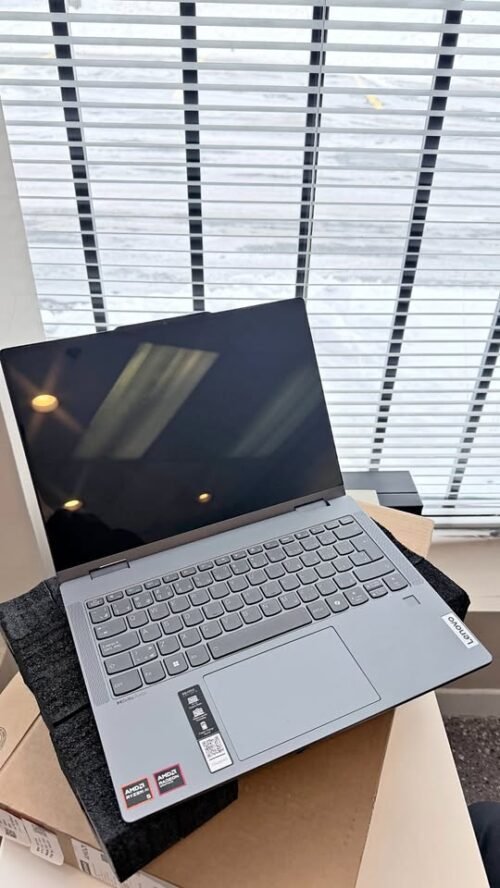
05. Lenovo IdeaPad 5 2-in-1 (AMD Ryzen AI 7 350)
Our verdict
If you are liking the idea of one best convertible laptop India with on-device AI feature but you don’t want to spend Yoga 7 level money, then Lenovo IdeaPad 5 2-in-1 is a smart option. Instead of doing compromise on display, Lenovo is keeping the beautiful WUXGA OLED panel with 100% DCI-P3, which makes it clearly better than normal IPS panels, and still it is not pushing the price too much. On top of that, it is giving 24GB RAM, which is more than enough for heavy productivity type works. I found it quite easy in daily use; Lenovo’s AI Now software is simple to understand, and Copilot+ integration is really helpful for summarising long documents and making quick drafts.
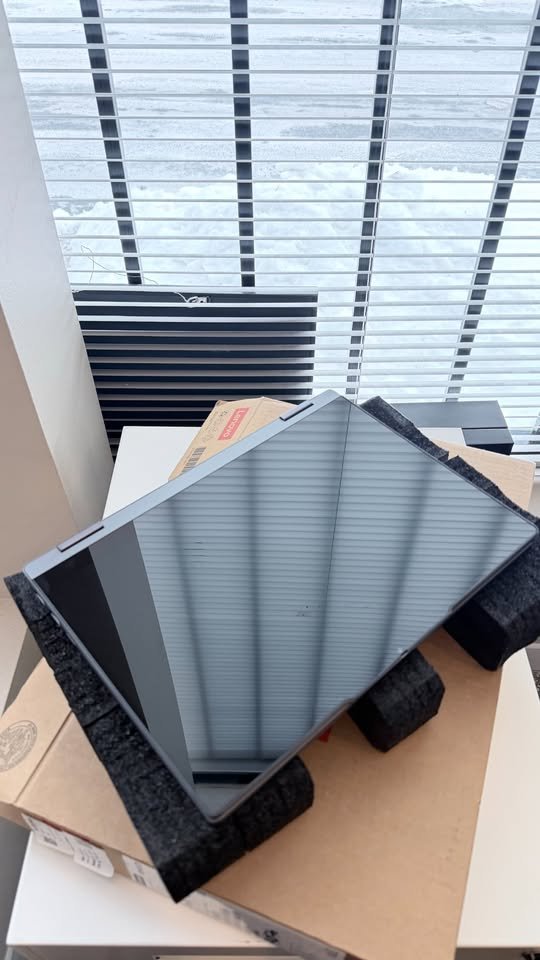
I used this laptop for making reports, doing annotation on research papers with the bundled Digital Pen 2, jumping in between Teams meetings, working on heavy spreadsheets for finance task, and many more things, and it was handling all of this in smooth way. But some users may feel that 57Wh battery is not giving full-day backup like Yoga 7’s 70Wh cell is giving, although in my testing I was easily getting around seven hours of office work. One thing to mention, I was keeping brightness near 60%, which also helped for sure.
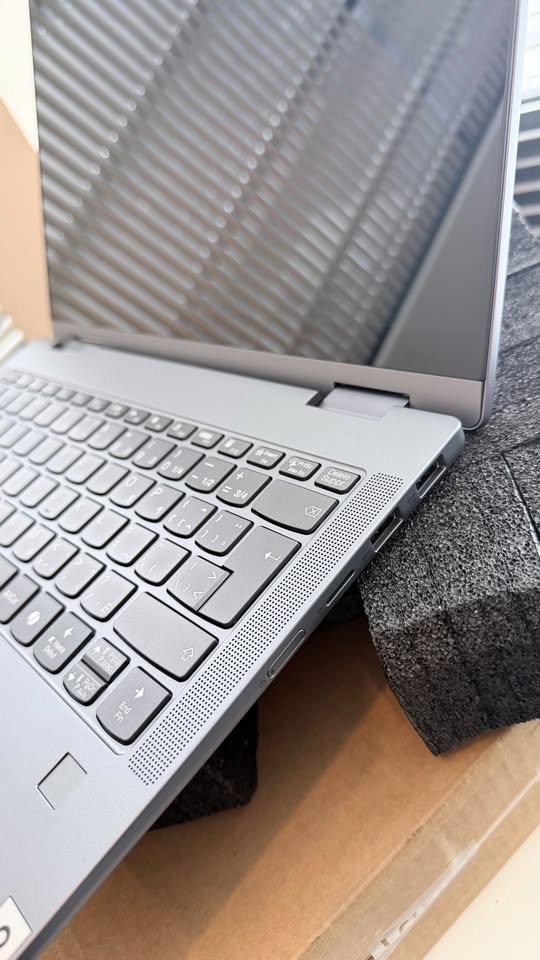
The aluminium top panel is giving premium hand feel, but the PC-ABS plastic bottom you can notice quickly if you are keeping it side by side with full metal laptops. Good point is Lenovo is putting Digital Pen 2 inside the box, which is a real bonus, because most of competitor brands in this price are making you buy the stylus in separate way.
The only actual negative point is the non-upgradable RAM. With 24GB soldered on board, for now you are fully covered, but you have to keep this in your mind if your workload is going to grow in coming years. Still, for this price point, it is one of the best value top 2 in 1 laptops India in our full list.
Key specs
| Factor | Lenovo IdeaPad 5 2-in-1 |
| Processor | AMD Ryzen AI 7 350 (8C/16T, up to 5.0 GHz) |
| RAM | 24GB LPDDR5x-7500 (Soldered) |
| Storage | 1TB PCIe 4.0 NVMe SSD |
| Display | 14″ WUXGA OLED, 1920×1200, 500 nits |
| Touchscreen | Yes (with Digital Pen 2 included) |
| Form Factor | 360° Convertible (Flip) |
| GPU | Integrated AMD Radeon 860M |
| Weight | 1.5 kg |
| Battery | 57Wh (~10 hours) |
| Wi-Fi | Wi-Fi 7 (802.11be) |
| Bluetooth | 5.4 |
| OS | Windows 11 Home + Office 2024 |
| Ports | 4x USB (incl. USB-C), HDMI, 7 total |
| Warranty | 1 Year Onsite |
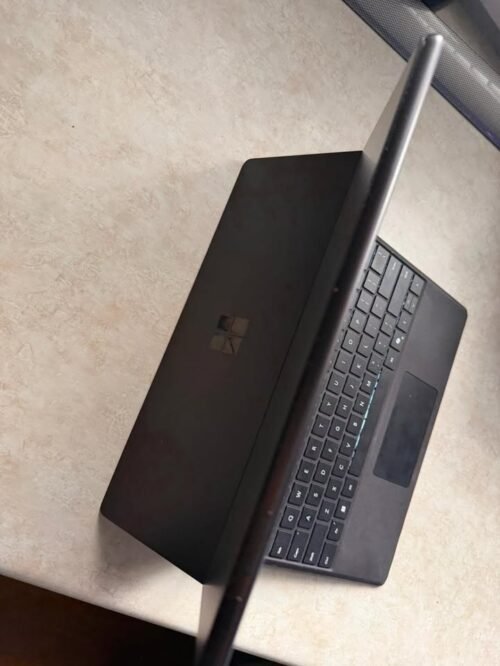
06. Microsoft Surface Pro 11 (Snapdragon X Plus)
Our verdict
If you are loving the idea of touch screen detachable laptops in India and wanting one device which genuinely working as both tablet and full Windows PC, then Microsoft Surface Pro is safe bet for you. During my testing time, I used it for everything starting from handwriting the lecture notes to running full desktop PowerPoint presentations, and every time the experience was always excellent only.
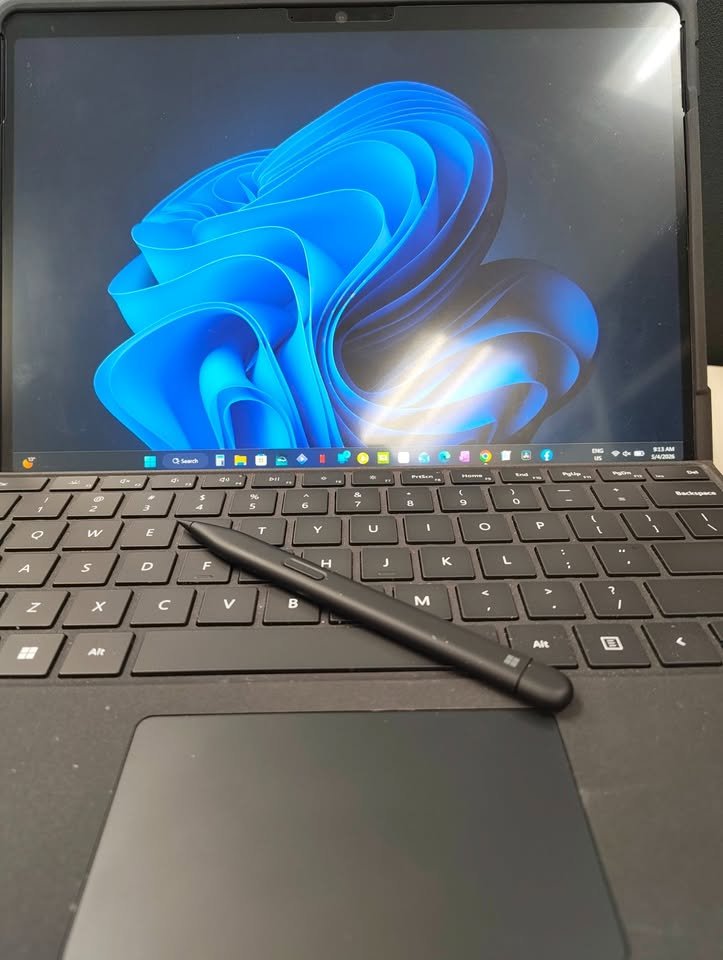
The detachable design is real game-changer, specially for someone who is doing commute regularly, because it allowed me to use the Surface as one lightweight 895g tablet inside metro, and then clip the keyboard back for doing serious typing on my desk. The 165° kickstand is another big highlight point, giving stability at virtually any angle, which is something that most laptop with detachable screen India alternatives are simply not able to match.
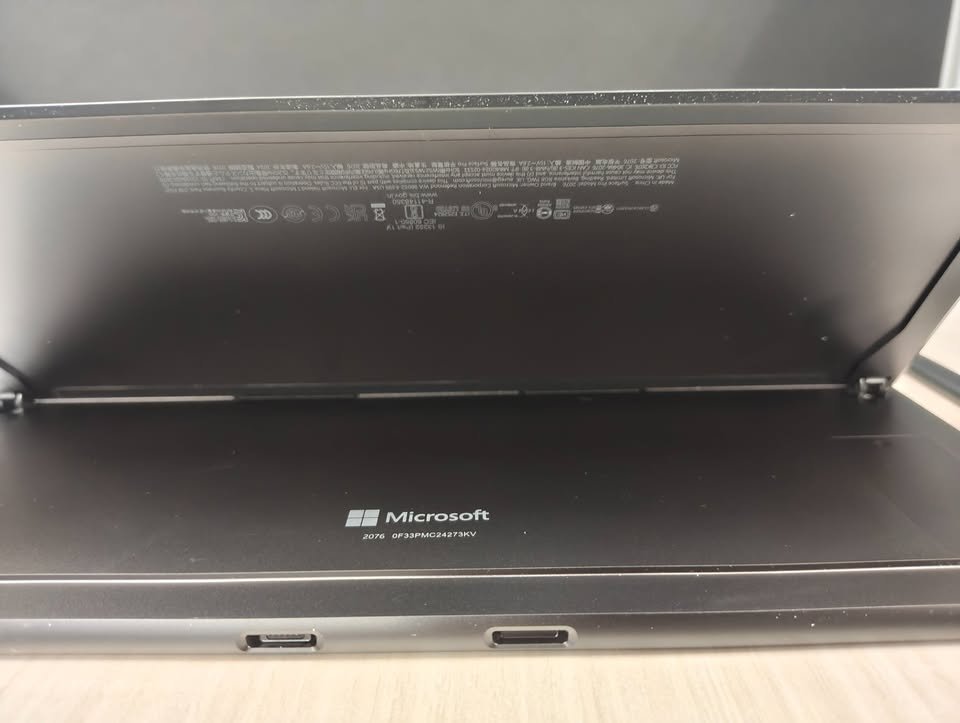
But, what really making this laptop different from its convertible counterparts is the fanless design and silent operation, which is making it perfect for quiet type environments like libraries and meeting rooms. And although it is not the most storage-generous model at only 256GB, the Snapdragon X Plus processor is delivering impressive battery life. Qualcomm is claiming up to 14 hours, and I was consistently getting around 11 hours during real-world mixed use type scenario.
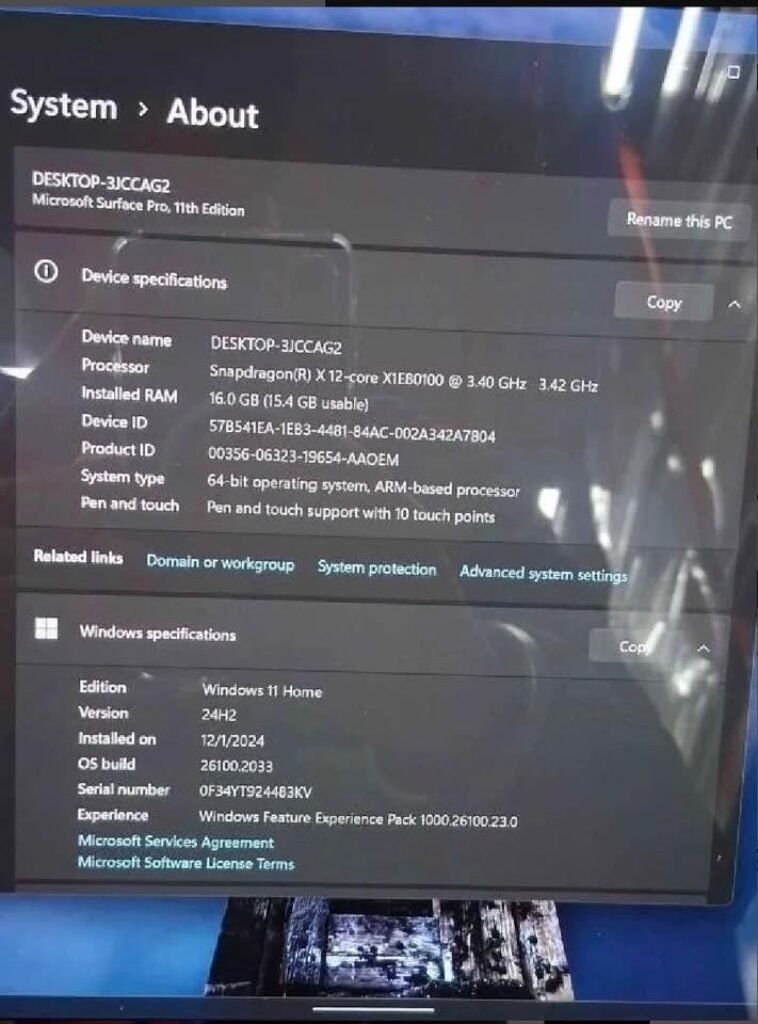
The elephant in the room is the keyboard only, which is sold separately and pushing the total cost well past ₹1.3 lakh mark. Also, the ARM-based Snapdragon processor is handling most of the modern apps beautifully through emulation, but some niche legacy x86 softwares can sometimes do stutter. If you can adjust with these small caveats, then Surface Pro is still remaining the gold standard for anyone who is searching one laptop with detachable screen India that is not doing compromise on the tablet experience.
Key specs
| Factor | Microsoft Surface Pro 11 |
| Processor | Qualcomm Snapdragon X Plus (10C, 3.4 GHz) |
| RAM | 16GB |
| Storage | 256GB SSD |
| Display | 13″ PixelSense LCD, 2880×1920, 120Hz, HDR |
| Touchscreen | Yes (Stylus compatible, pen sold separately) |
| Form Factor | Detachable (Tablet + Keyboard) |
| GPU | Integrated Qualcomm Adreno |
| Weight | 895g (tablet only) |
| Battery | 48Wh (~14 hours) |
| Wi-Fi | Wi-Fi 7 |
| Bluetooth | Yes |
| OS | Windows 11 Home |
| Ports | 2x USB-C 4 |
| Warranty | 1 Year Onsite |

Our verdict
The Apple iPad Pro 13″ M5 is packing too much raw power inside one sleek and impossibly thin body. It is using the new M5 chip which has 16-core Neural Engine and also hardware-accelerated ray tracing, so it can handle everything from 4K ProRes video editing to heavy illustration work — this kind of performance you will not normally find in such a form factor.
The 13″ Ultra Retina XDR display is, simply telling, the best screen among any device in this list. With the tandem OLED technology, 2,000,000:1 contrast ratio and 1,600 nits peak HDR brightness, it is making every other display here look little ordinary only. Whether you are doing colour-grading of footage in LumaFusion, or just doing scrolling on Instagram, the visual experience is in totally different league.
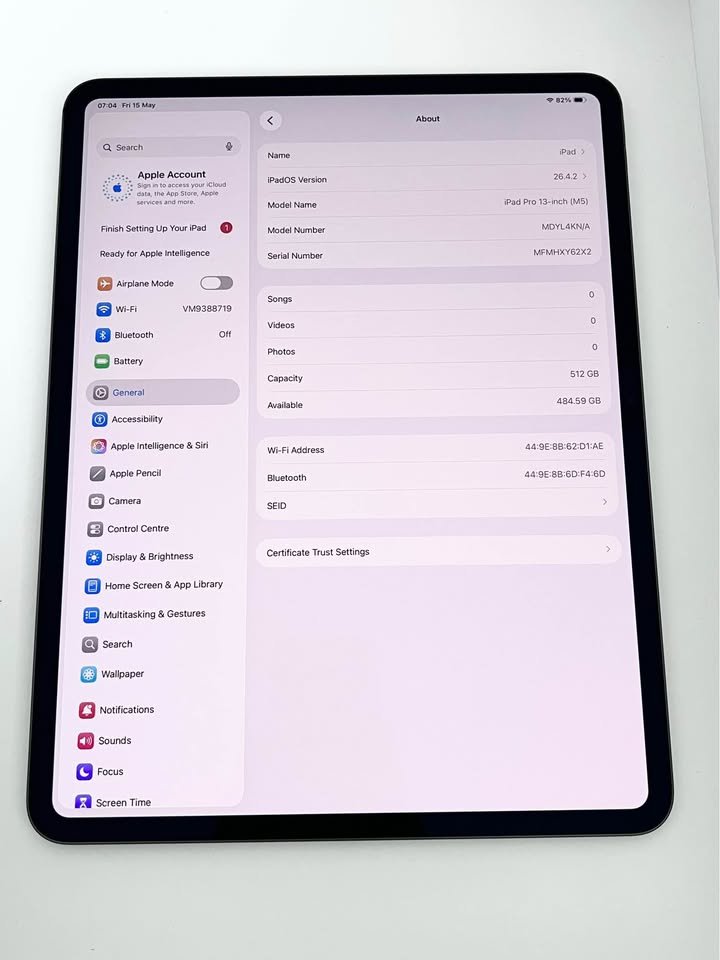
Our tester was praising the iPad Pro because of its build quality, stunning display and the Apple Pencil Pro with hover detection which is genuinely useful. She told that the M5 chip is overkill for most of the tasks, and it is working best only when you are actually doing some creative or professional type work, not just browsing here and there. The missing of desktop-class operating system is not so convenient for heavy multitasking, but the final results are making up for it — iPad Pro is delivering exceptional quality for media consumption and also creative works. She was specially impressed with the battery life, and she said, “on first use, I genuinely forgot to charge it for two days.”
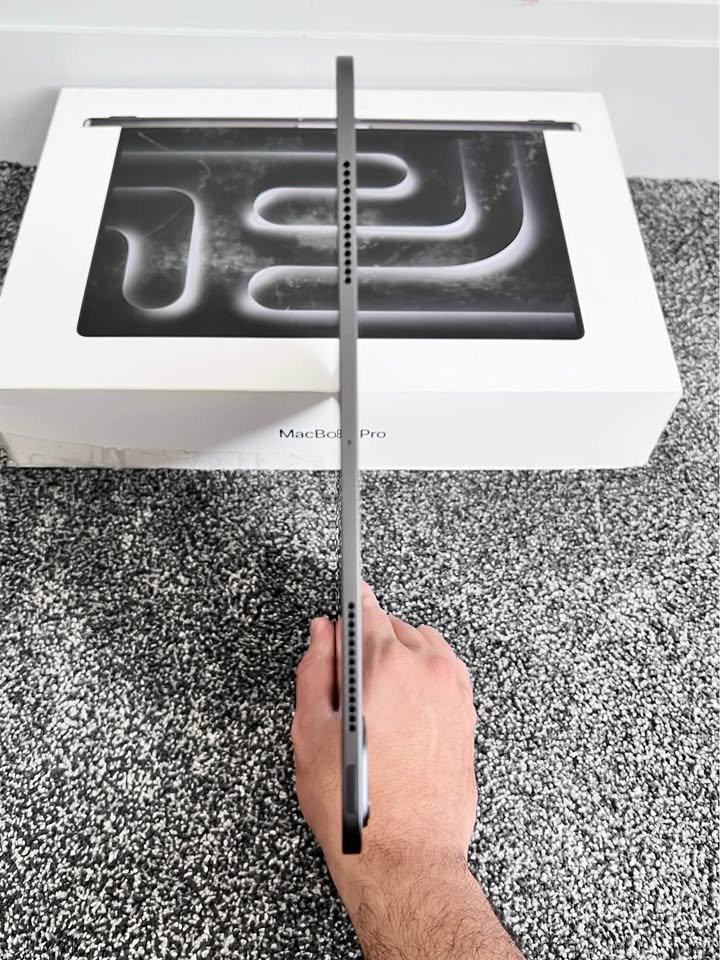
Overall speaking, if you are wanting a premium laptop-tablet combo which is best-in-class for media and creative work, then this iPad Pro is one solid choice — but just be realistic about the iPadOS limitations and also the extra cost of Magic Keyboard and Apple Pencil, if you want the full 2-in-1 experience properly.
Key specs
| Factor | Apple iPad Pro 13″ M5 |
| Processor | Apple M5 (9-core CPU, 10-core GPU, 16-core Neural Engine) |
| RAM | 16GB Unified Memory |
| Storage | 512GB |
| Display | 13″ Tandem OLED, 2752×2064, 1600 nits peak |
| Touchscreen | Yes (Apple Pencil Pro compatible, sold separately) |
| Form Factor | Detachable Tablet |
| GPU | Integrated 10-core Apple GPU |
| Weight | Not specified (approx. 580g) |
| Battery | All-day (10+ hours), 50% in 30 min |
| Wi-Fi | Wi-Fi 7 with Apple N1 |
| Bluetooth | 6.0 |
| OS | iPadOS |
| Ports | 1x Thunderbolt / USB 4 |
| Warranty | 1 Year Limited |
08. ASUS Vivobook 14 Flip (Intel Core Ultra 7 256V)
Our verdict
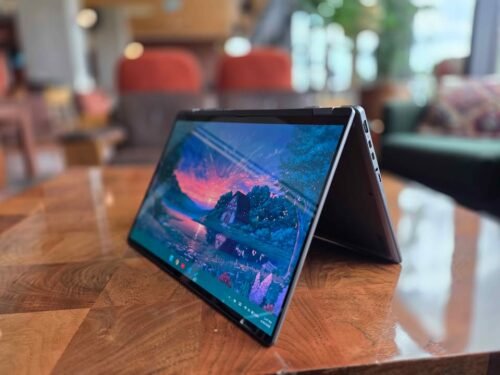
For around ₹1 lakh price, the ASUS Vivobook 14 Flip is quite a good proposition. It is not having the premium aluminium finish like Yoga 7, but whatever it is lacking in the polish part, it is covering up by capability and forward-thinking AI features. The Copilot+ PC status with 47 TOPS NPU was one big highlight for me during the testing time, because it allowed me using on-device AI features such as live captions, image generation and smart file search also – something which the budget options in our list simply cannot give.
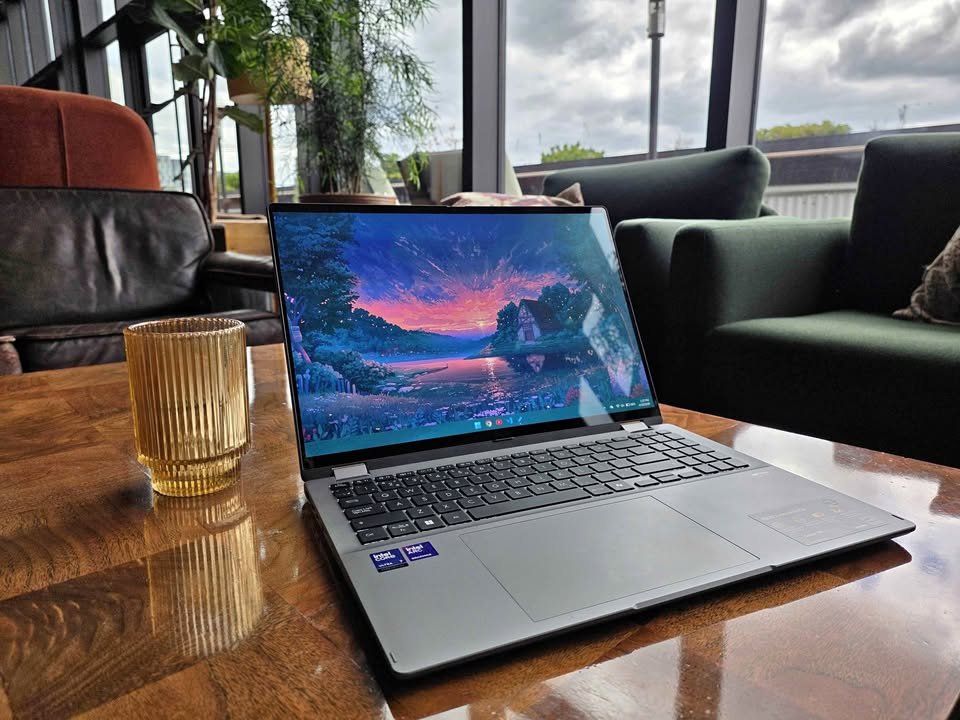
I felt little disappointed that pen is not coming inside the box (at this price point, ASUS really should give one), but stylus input is supported – which is arguably more practical way if you are already owning one compatible pen. This thing helped me to annotate the lecture slides using my existing stylus, while one research paper was sitting open on other half of screen. Performance side also was great: app launching was snappy, Chrome with around twenty plus tabs was running without any complaint, and Lightroom edits plus many other creative type tasks it was handling really well.
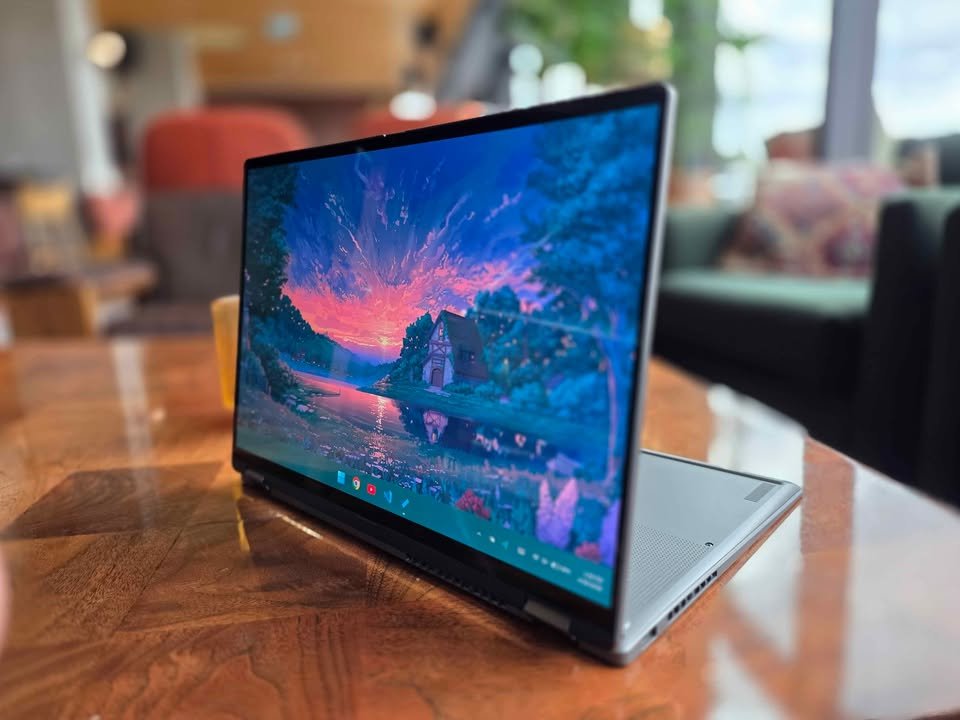
At this price obviously there are some trade-offs. The 60Hz refresh rate on OLED panel is not feeling that smooth like 120Hz or 144Hz displays which are coming on costlier rivals, and the 512GB storage fills up more fast than what you want, specially if you are working with large size files. The 16GB soldered LPDDR5x RAM is decent for the current time but later it cannot be upgraded, so there is one ceiling on how much you can push this machine after few years time.
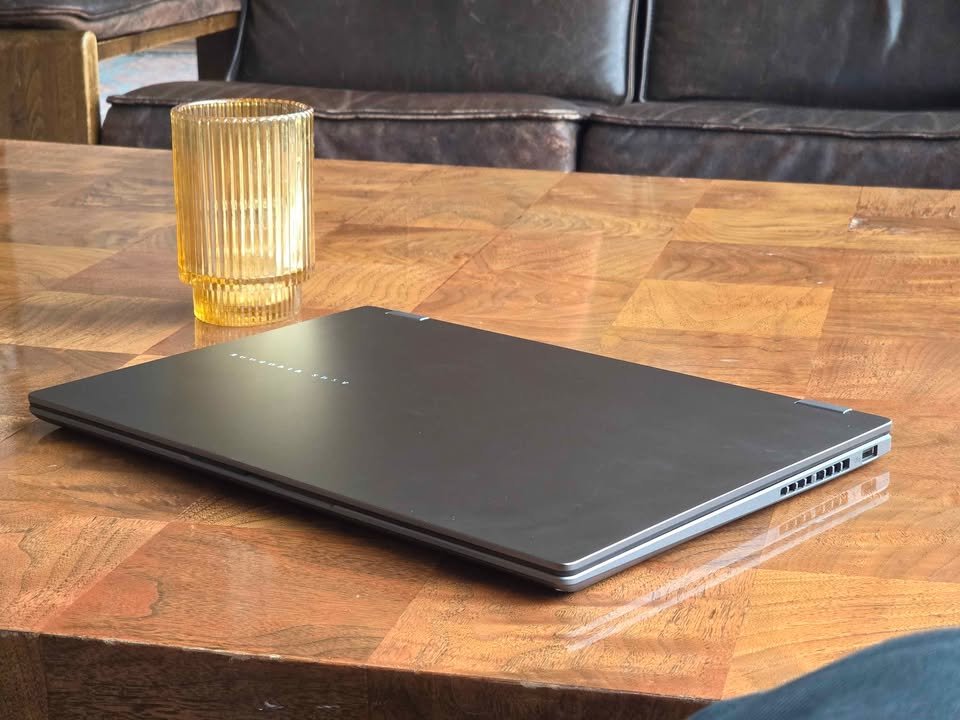
But for this much money, it is hard to say anything bad. You are getting a best flip laptop touch screen feel, one gorgeous OLED display, Thunderbolt 4 connectivity, and also a substantial 70Wh battery, everything backed up by ASUS build quality. If the Yoga 7 is feeling out of your budget reach, then this one is a brilliant alternative which still packs a good punch.
Key specs
| Factor | ASUS Vivobook 14 Flip |
| Price | ₹1,03,990 |
| Processor | Intel Core Ultra 7 256V (8C, up to 4.8 GHz, 47 TOPS) |
| RAM | 16GB LPDDR5X (Soldered) |
| Storage | 512GB PCIe 4.0 NVMe SSD |
| Display | 14″ WUXGA OLED, 1920×1200, 500 nits HDR peak |
| Touchscreen | Yes (Stylus compatible, no pen included) |
| Form Factor | 360° Convertible (Flip) |
| GPU | Integrated Intel Arc Graphics |
| Weight | 1.57 kg |
| Battery | 70Wh |
| Wi-Fi | Wi-Fi 7 (802.11be) |
| Bluetooth | 5.4 |
| OS | Windows 11 Home + Office 2024 + M365 Basic (1 year) |
| Ports | Thunderbolt 4, USB-C, USB-A, HDMI 2.1, 4 total |
| Warranty | Limited |
How do 2 in 1 laptops work?
A 2 in 1 laptop gives you two device in one body, both laptop and tablet together. Mostly these device coming in two type: convertible one (it have 360° hinge so you can fold the screen fully backward) and detachable one (here the screen is removing from keyboard part completely). So in result, you getting one machine which can switch between heavy typing work and touch based media watching, without buying two separate gadget.
Most of 2 in 1 laptop are running full Windows 11 (or iPadOS if we talk about iPad Pro), means you getting the whole desktop application library and also touchscreen gesture plus pen writing support same time. The main benefit comparing to normal laptop is the flexibility part. You can stand it in tent shape for showing presentation, lay it fully flat for doing sketch work, or just pull out the screen for reading something while sitting on sofa.
Many flip type laptop is works same like normal laptop when keyboard is in front of you, but some user is noticing that keyboard side become little warm during tablet mode, because all the internal component (CPU, battery etc.) is sitting behind the display panel only. This is small issue, not a big problem, and for daily use work the best 2 in 1 laptop for you is depending more on display quality and performance power, not really on which hinge type it have.
What kind of 2 in 1 laptop you should buy? How to pick a convertible laptop
There is few main types of 2 in 1 laptop available in market, and the fastest way for compare them is to pick the form factor which is matching with how you do your work (and also what you will use it for mainly).
- Convertible (360° hinge): This one is most common type, basically a normal laptop but the screen can rotate full 360 degree and become a tablet. Very useful for taking notes, giving presentation, and casual things like watching movies. The keyboard is staying attached only, so in tablet mode it feels little heavy, but good thing is you will never lose the keyboard somewhere.
- Detachable: It is a tablet which is having a clip-on keyboard that fully separates from the body. Best for those people who want real tablet feel when they are reading or travelling in metro, and laptop feel when typing is needed. The Microsoft Surface Pro is the most famous example for touch screen detachable laptops in India market.
- Dual-screen: This is a new type category, where two full displays are given in place of the normal keyboard. Mostly suitable for creative peoples and heavy multitaskers who get benefit from extra screen space. The ASUS Zenbook Duo from our list is the best example for this one.
- Tablet with keyboard accessory: Devices like Apple iPad Pro, which are mainly tablet only, but they get laptop type functionality after attaching one optional keyboard case. Perfect choice if your workflow is touch-first type and you need typing only sometimes, not daily.
When you are choosing best 2 in 1 laptop in India, there is many features which you must to look carefully before buying. I will explain each one in simple way based on my knowledge of laptops.
Display quality and size: This is very important thing to think about in convertible laptop. OLED panel is giving more rich colours and deeper black colour compare to IPS panel, and higher resolution like 2.8K or 3K is making text and image more sharp to eyes. If you are planning to use the laptop in tablet mode mostly time, then good vivid display is making big difference for your experience.
Pen or stylus support: Some laptop models is giving pen inside the box itself (for example Lenovo Yoga 7 and IdeaPad 5 2-in-1 are doing this), but other models are only supporting stylus input and you must buy it separate. If note making or sketching work is important for you, please check is it included or not, because buying one good quality stylus separately can add extra ₹5,000 to ₹10,000 in your total cost.
Processor and RAM: For doing daily productivity work and watching media, 16GB RAM with Intel Core Ultra 5 or AMD Ryzen 7 is more than sufficient – see is Ryzen 7 better than i7 for comparison. But if you are running heavy creative software like Photoshop or Premiere Pro, then you should look for 24GB or 32GB RAM and one newer processor which is having AI acceleration feature also.
Budget: The best 2 in 1 laptops in India is starting from around ₹70,000 and going till ₹3,00,000 plus, it is depending on specifications and brand name. If value for money is your main priority, then it is better to focus on display quality and RAM instead of niche features like dual screen (this is the place where budget 2 in 1 laptops India options are usually winning).
Battery life: One big battery (70Wh and above) is giving genuine benefit for a device which you will use in tablet mode far from charger. Fast charging feature is also worth to look, because charging till 50% in only 30 minutes can save your life in urgent situations.
Build quality and weight: Lighter laptops (under 1.5 kg weight) is better for tablet mode using and daily commuting, but premium material like aluminium is feeling more sturdy compare to plastic body. So this trade-off between weight and durability is something which you must think properly before deciding.
Connectivity: Thunderbolt 4 port is allowing you to connect external display and fast storage drive, and Wi-Fi 7 is making your wireless connectivity future-proof for coming years. Please check the port selection very carefully if you are using USB-A peripherals, because some slim models nowadays are removing them fully.
Are 2 in 1 laptops worth it?
One of the big benefit for using 2 in 1 laptop is that it remove the need of carrying both laptop and tablet together. For the students who attending lectures, professionals which switching between typing and presenting work, and also creatives peoples who do sketching and designing, a laptop that can flip into tablet or detach the screen is really very practical thing.
“A 2 in 1 laptop is able to do everything what a normal laptop can do, although with some design trade-offs, but it give you extra flexibility of tablet mode and tent mode also,” like many reviewers are saying. “For the students and professionals who is always on move, these are very much worthwhile investment.”
Because the convertible laptops are combining two devices into single one, they can save your money in overall way, buying one separate laptop and one separate tablet most of the time cost more than one good quality 2 in 1 machine. But, the actual saving is depending on which model you are choosing and also if you will really use the tablet function or not. If you want to check the value properly, just think how much times you will use it in non-laptop modes, if the answer is coming as “rarely”, then one standard laptop maybe is the better choice for buying.
Can I use 2 in 1 laptop for gaming?
Most of the 2 in 1 laptops are coming with integrated graphics only, which mean they can run casual games and indie games in comfortable way, but they are not making for AAA titles on high settings. If your gaming need is limited to games like Valorant, Minecraft or some older games, then integrated Intel Arc or AMD Radeon graphics in many models from our list will manage it without much problem.
But for serious gaming, it is better you go with dedicated gaming laptop which is having discrete GPU inside. The 2 in 1 form factor is giving more importance to portability and versatility, instead of raw graphical power, this is honest trade-off and buyer should understand it before doing purchase.
One more thing also worth to mention: the “gaming performance” is depending equally on which specific game you play (and what settings you are ready to accept), not only on hardware. A 2 in 1 laptop can do lighter gaming, but it will not run Cyberpunk on ultra settings by magic.
For 2 in 1 lovers: if you actually want a powerful normal laptop for gaming and heavy work instead, please check our Best Gaming Laptops Under ₹1.5 Lakh list.
What I should not expect from a 2 in 1 laptop?
Until and unless you are buying one premium model with 32GB RAM and top level processor, the heavy professional work like 3D rendering, big video production work, and machine learning training are not suitable on 2 in 1 laptop.
Users who keep lot of storage also need to plan in proper way – many convertible laptops are coming with only 512GB SSD, which is filling up very fast if you are keeping large media files or big game libraries inside.
At last, please give attention to keyboard feel on detachable models: the clip-on keyboard covers are mostly not matching the typing comfort of normal laptop keyboard, this point become important if you are writing thousands of words daily (or sitting hours-hours on spreadsheet work).