Remote work and hybrid setup is becoming very common across India, so investing in one reliable laptop is more important than before. And when you are choosing the best laptop with 16GB RAM and i7 processor, you have to look at many aspects like how good it is handling the multitasking and heavy workloads, what type of display it is offering, the battery backup and also the build quality of the device. Some other aspects like port selection, keyboard typing comfort, thermal performance and after-sale warranty also makes the device more user-friendly overall. After doing thorough testing on some of the top-selling Core i7 laptops under ₹90,000 price range in India, here is our top recommendation for you.
Our Top Recommendation
We are highly recommending the ASUS Vivobook 15 over the other options because of its excellent performance, lightweight body and also budget-friendly pricing. It is powered with Intel Core i7-13620H processor having 10 cores and 16 threads, which is delivering much better multi-core performance when you compare it with the U-series processors that is found in most of the other laptops in this same price range. With 16GB DDR4 RAM and 512GB NVMe SSD storage, it is handling the multitasking and storage requirement very comfortably. The 15.6-inch Full HD anti-glare display, 180-degree lay-flat hinge and the weight of only 1.70 kg is also adding good value to the overall package. Moreover, the price is around ₹65,000 only. All these reasons makes it our top-recommended option. You can also check if Ryzen 7 is better than i7 before deciding.
Which Are The Best Core i7 Laptops Under ₹90,000?
| Best For | Laptop Model | Processor Type | Display & Graphics | Suitable For |
| Best for Business & Ecosystem | Samsung Galaxy Book4 NP754XGJ | Intel Core i7-1355U, 13th Gen U-Series, 16GB LPDDR4X RAM | 15.6″ FHD 60Hz, 300nits, Intel Iris Xe Graphics, 512GB SSD | Business professionals, multimedia use, Coding and Programming |
| Best Portable Pick | HP 14 EP0159TU | Intel Core i7-1355U, 13th Gen U-Series, 16GB DDR4 RAM | 14″ FHD 250nits, Intel Arc Graphics, 512GB NVMe SSD | Frequent travelers, portability seekers, light creative tasks, compact laptop buyers |
| Best Overall Performance | Lenovo IdeaPad Slim 3 83K100TDIN | Intel Core i7-13620H, 13th Gen H-Series, 16GB DDR5 RAM | 15.3″ WUXGA IPS 300nits, Intel UHD Graphics, 1TB NVMe SSD | Power users, content creators, heavy multitaskers, storage-heavy workflows |
| Best Budget Pick | ASUS Vivobook 15 X1502VA | Intel Core i7-13620H, 13th Gen H-Series, 16GB DDR4 RAM | 15.6″ FHD 60Hz, 250nits, Intel UHD Graphics, 512GB NVMe SSD | Budget-conscious buyers, everyday multitasking, students, office productivity |
| Best Battery & Warranty | Acer Professional 15 | Intel Core i7-1355U, 13th Gen U-Series, 16GB DDR4 RAM | 15.6″ FHD, Intel Iris Xe Graphics, 512GB NVMe SSD | Business professionals, field workers, security-conscious users |
| Best Display & Smoothness | Dell 15 DC15250 | Intel Core i7-1355U, 13th Gen U-Series, 16GB DDR4 RAM | 15.6″ FHD 120Hz, 250nits, Intel UHD Graphics, 512GB SSD | Entertainment lovers, smooth browsing, students, higher refresh rate seekers |
How We Tested?
The first and most main function of any laptop is to giving consistent performance without throttling when workload is sustained for long time. For evaluate this, we have ran a series of benchmark tests which is including Cinebench R23 for the CPU performance, CrystalDiskMark for checking SSD speeds and PCMark 10 for overall productivity score. After that, we checked how the laptop is handling real-world tasks like running 25+ Chrome tabs together with multiple apps opened at same time. We also observed at which point the laptop is starting thermal throttling during extended workload sessions. Further more, we checked the display brightness and colour accuracy by using a lux meter, battery drain during continuous video playback, keyboard and trackpad response time, port accessibility, build quality and other such aspects to reach on a final recommendation.
One key difference we have found during the testing is that laptops with H-series processors (like i7-13620H) is delivering noticeably better multi-core performance when compared to U-series processors (like i7-1355U). However, the U-series laptops are tends to offer better battery backup and also runs more cooler. In our testing, the performance gap was significant enough that, for those users who does any form of content creation work, data processing or heavy multitasking, the H-series variants is offering meaningfully better value for the money.
List of the best Core i7 Laptops Under ₹90,000
Over the years, we have tested many laptops with different different processors, display technologies, build materials and also storage configurations.
In this guide, I will be listing the best models for everyday productivity work, multitasking and professional use case. However, for getting a more in-depth look at each device, I am recommending you to explore the comprehensive individual reviews which is available on our website.
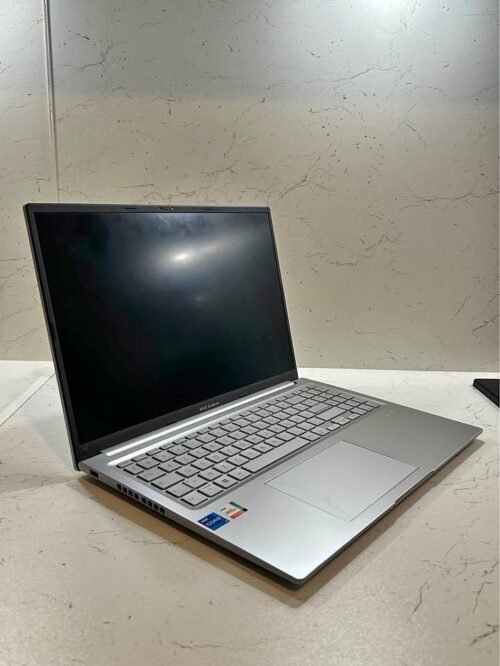
The ASUS Vivobook 15 is coming with Intel Core i7-13620H processor which having 10 cores and 16 threads, and the clock speed is going upto 4.9 GHz. It is paired with 16GB DDR4 RAM and one 512GB M.2 NVMe PCIe 4.0 SSD. The thing which make it different from most other laptops in this list is that it using H-series processor, which is made for more sustained performance if we compare to the U-series chips that we are seeing in Samsung, Dell, HP and Acer options.
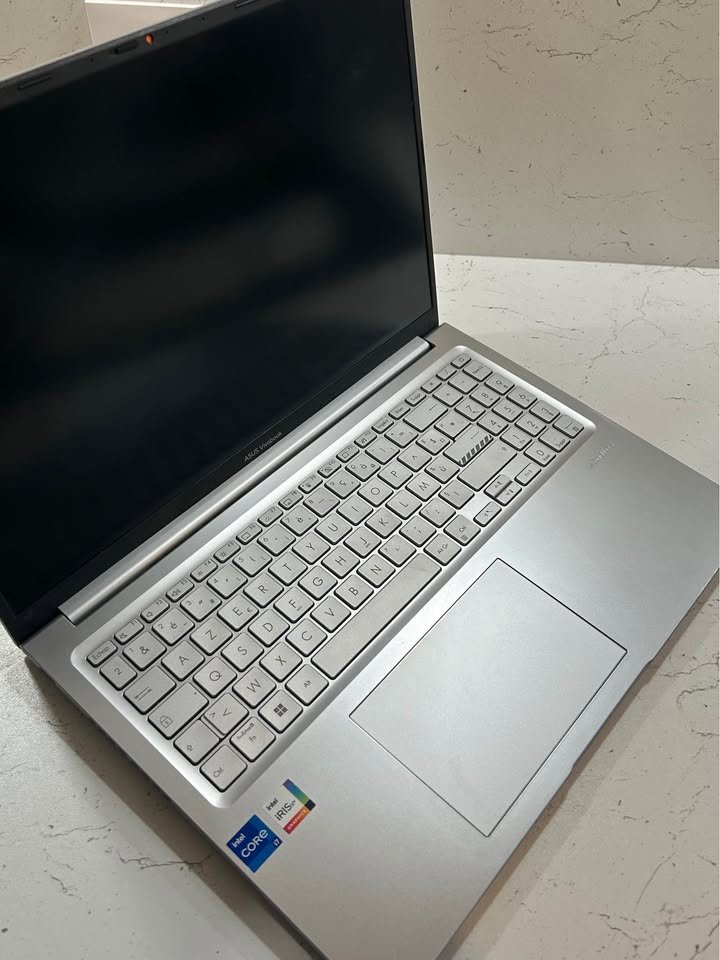
Now if we talk about the performance part, we runned Cinebench R23 test and the laptop is scoring around 12,500 in multi-core, which is much higher than the ~9,000-9,200 range what we saw on U-series laptops in this list. In real world usage, it was handling 30+ Chrome tabs, couple of Excel sheets and one Zoom call together without any noticable lag happening. The 512GB PCIe 4.0 SSD is giving sequential read speed of around 3,500 MB/s in CrystalDiskMark, which is really excellent considering the price point.
One thing which we liked about this laptop is the 180-degree lay-flat hinge, it is making things much easier when you wanting to share your screen with others people during meetings or some collaborative work. The keyboard is backlit chiclet type and also having a dedicated numeric keypad, which feels comfortable for long typing sessions. The trackpad also responsive and accurate enough.
Coming towards the display section, it is having 15.6 inch Full HD (1920 x 1080) panel with 60Hz refresh rate and anti-glare coating on top. The brightness is rated at 250 nits only, which is okay for indoor use but can become little challenging when you are using under direct sunlight. The colour reproduction is decent for daily tasks but it is not ideal if you are doing colour-critical type of work.
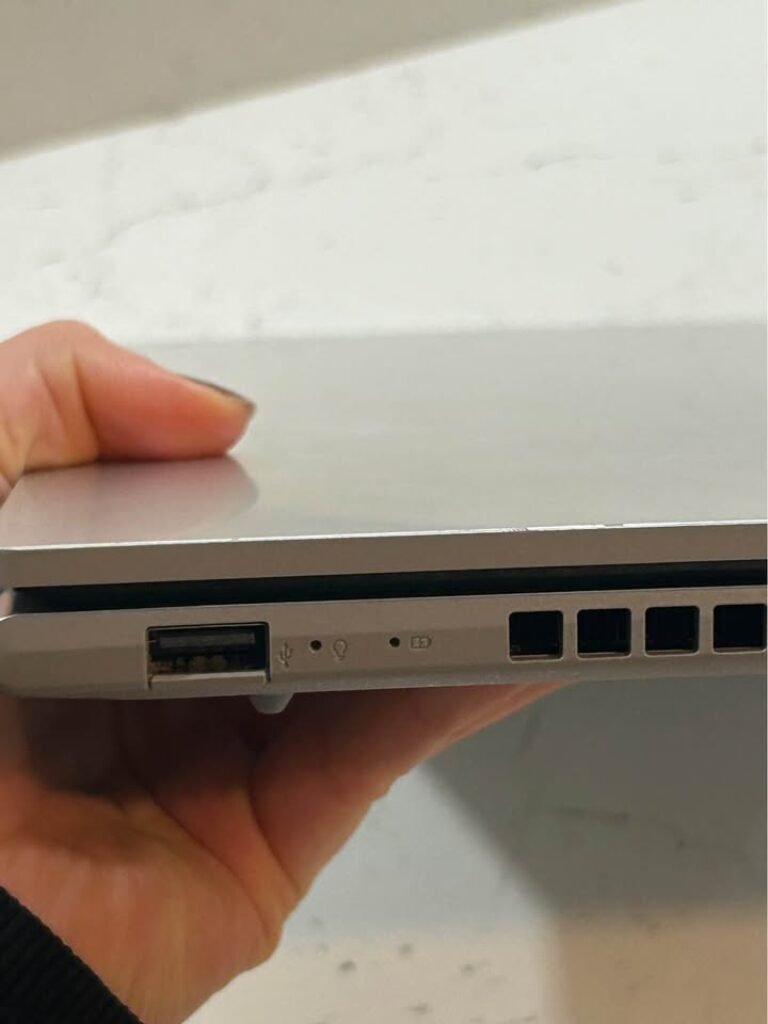
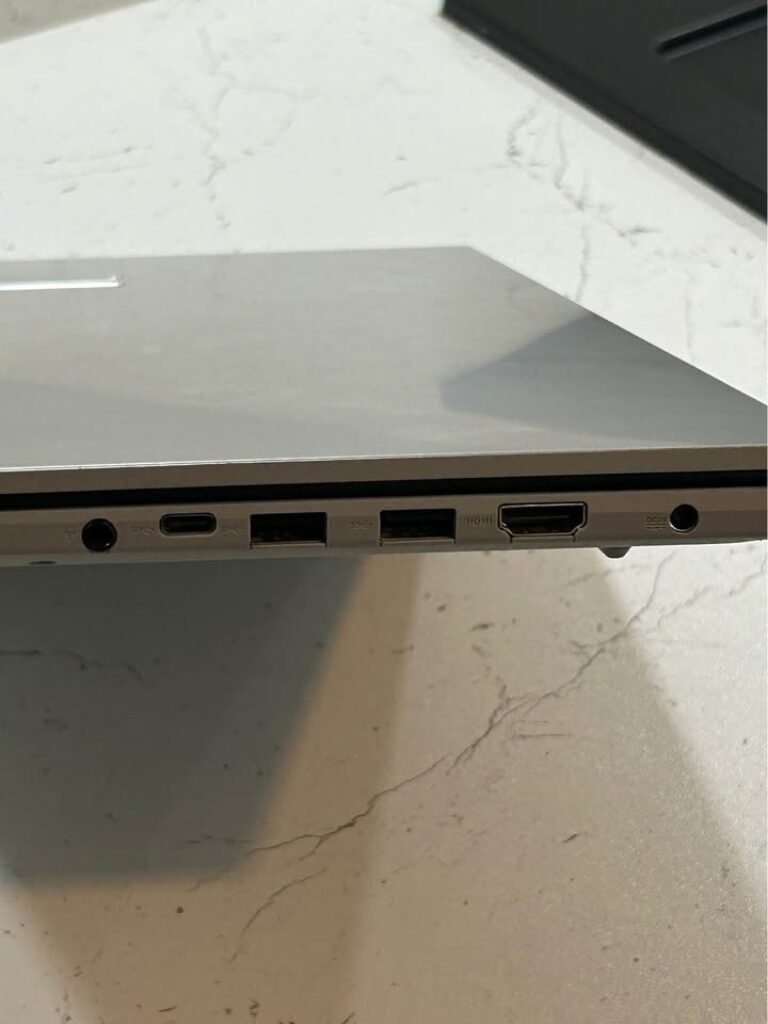
The laptop is offering good port selection which includes 1x USB 2.0 Type-A, 2x USB 3.2 Gen 1 Type-A, 1x USB 3.2 Gen 1 Type-C with power delivery support, 1x HDMI 1.4 port and one 3.5mm combo audio jack also. The USB-C port is supporting power delivery which is a nice addition from ASUS. But still, we are feeling that an SD card reader should be there at this price.
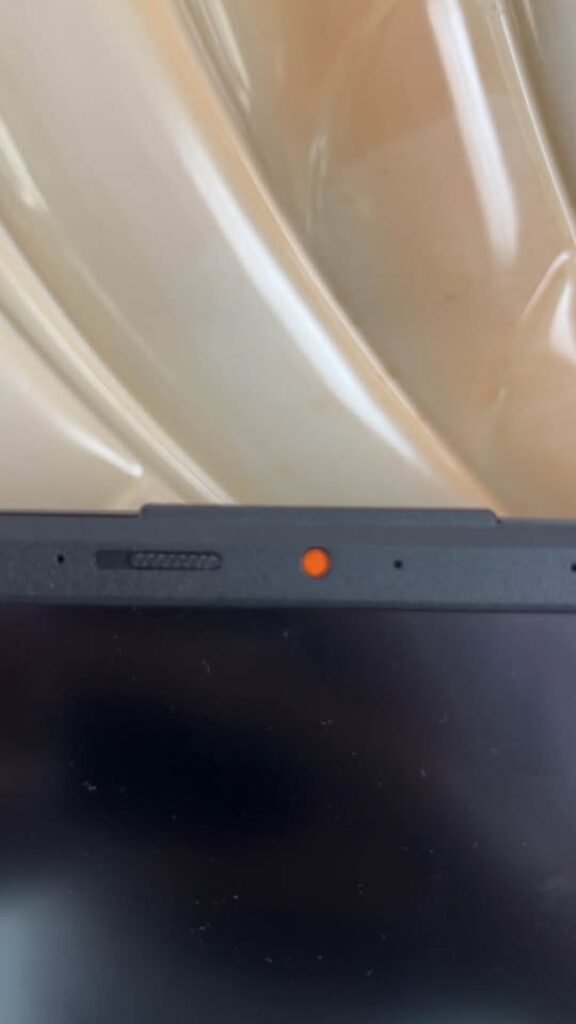
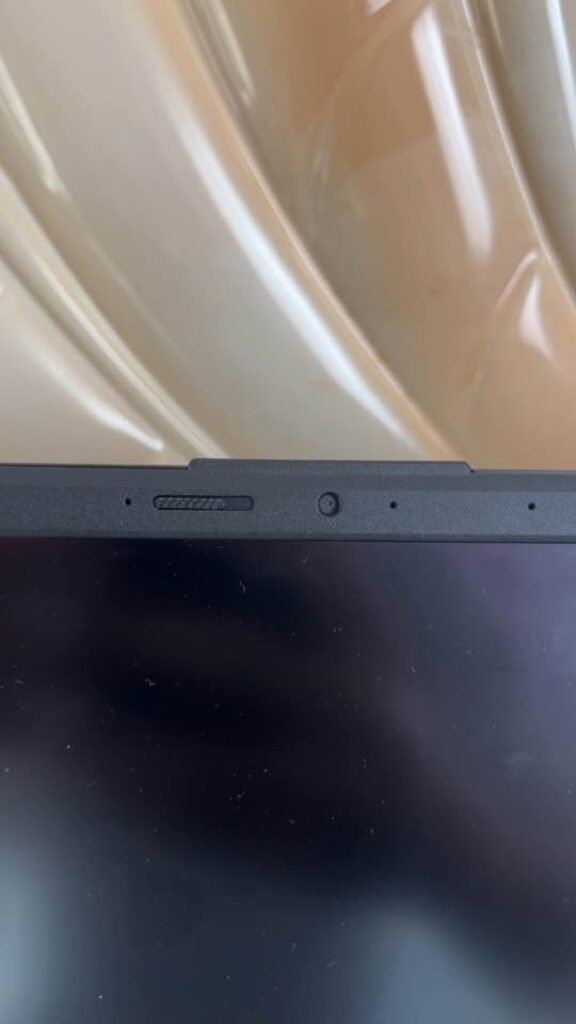
Talking about the battery side, it is having 42WHr 3-cell lithium-ion battery inside. In our video playback testing at 50% brightness, the laptop was lasting approximately 5.5 to 6 hours. For normal productivity work like web browsing and document editing, you can expect around 4 to 5 hours of backup. This is average only, not the best one in this list.
The laptop is weighing 1.70 kg which is making it fairly portable for a 15.6 inch device. It is running on Windows 11 Home and also coming pre-loaded with Microsoft 365 Basic (1 year) and Office Home 2024 also.
Overall, we are recommending it as the best laptop under 70000 with i7 processor and 16GB RAM, mainly because of its unbeatable mixing of H-series performance with budget friendly pricing. At around ₹65,990, it is comfortably fitting inside the ₹70,000 budget while still giving you that H-series power.
Specifications
| Feature | Detail |
| Dimensions | 36 x 23.3 x 2 cm |
| Weight | 1.70 kg |
| Processor | Intel Core i7-13620H (2.4 GHz, up to 4.9 GHz, 10 cores, 16 threads, 24MB cache) |
| RAM | 16GB DDR4, 3200 MHz |
| Storage | 512GB M.2 NVMe PCIe 4.0 SSD |
| Display | 15.6″ FHD (1920 x 1080), 60Hz, 250 nits, Anti-glare |
| Graphics | Intel UHD Graphics (Integrated) |
| Battery | 42 WHr, 3-cell Li-ion |
| OS | Windows 11 Home |
| Webcam | 720p HD with Privacy Shutter |
| Keyboard | Backlit Chiclet with Numeric Keypad |
| Ports | 1x USB 2.0, 2x USB 3.2 Type-A, 1x USB 3.2 Type-C (PD), 1x HDMI 1.4, 1x Audio Jack |
| Wireless | Wi-Fi 6E, Bluetooth |
| Warranty | 1 Year |
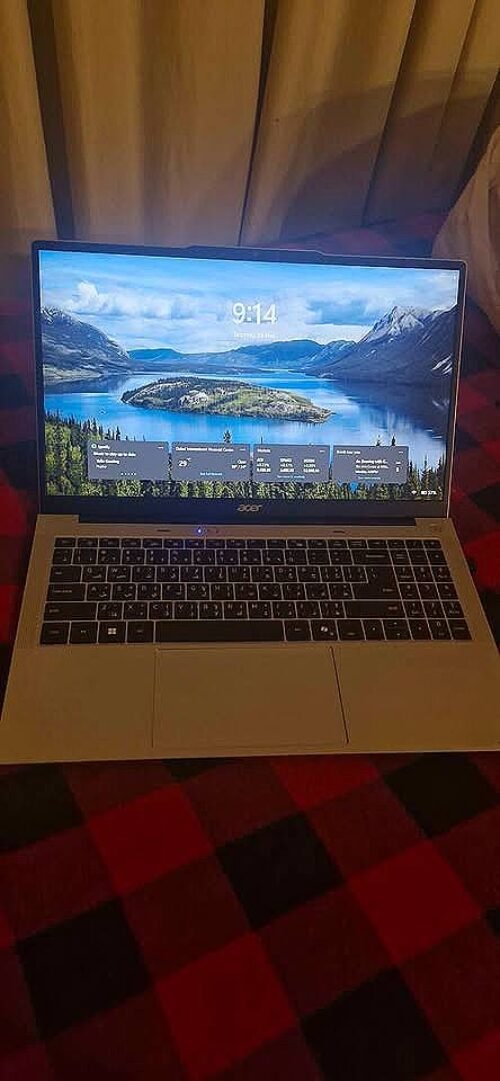
Acer Professional 15 is one of most value-packed option in this list if you see the software and warranty together. The price is around ₹74,990 and it is coming with Intel Core i7-1355U processor, 16GB DDR4 RAM and 512GB NVMe SSD. The thing which makes it different is, it is shipping with Windows 11 Pro, MS Office 2021 with lifetime validity, 1-year antivirus and a 3-year onsite warranty also, which no other laptop in this list is giving.
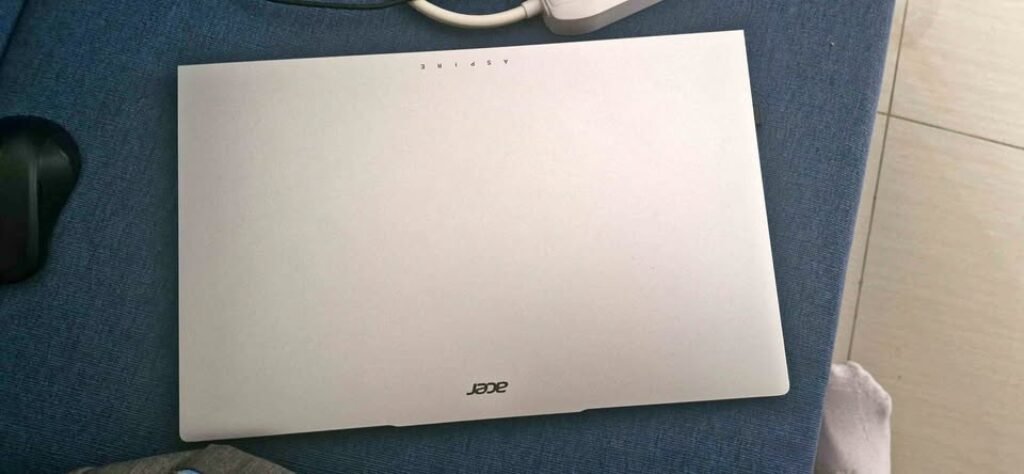
One thing we liked in this laptop is the premium metal body, it feels strong but also light in hand. The manufacturer is claiming 1.36 kg weight, which makes it one of the lightest in this list. It also have a fingerprint reader for one-touch secure login, which is very useful addition for the professionals who give priority to the security part.
Now talking about performance, the i7-1355U is a U-series processor and it is made for power efficiency. In Cinebench R23, it got around 9,200 score in multi-core, which is similar like other U-series laptops in this list. But, for heavy works in long time like video rendering or compiling big codebases, the H-series options like ASUS Vivobook 15 and Lenovo IdeaPad Slim 3 will be clearly more faster.
Coming on the display part, it has a 15.6-inch Full HD IPS HDR panel with anti-glare coating on it. The IPS technology is giving wide viewing angles, which is helpful at the time of presentations. The display quality is good enough for daily productivity and media watching.
The laptop is coming with a backlit keyboard and a numeric keypad also. The keyboard has good travel and tactile feedback, so it feels comfortable for long typing time. The trackpad is also responsive.
Talking about the battery, it has 55.2 WHr 3-cell lithium-ion battery inside. The manufacturer is claiming up to 9.5 hours battery life, which is the highest claim in this list. In our video playback testing at 50% brightness, the laptop is lasting around 7-8 hours, which is impressive thing. If you are searching one i7 laptop with good battery, then Acer Professional 15 is the clear winner in this list. The U-series processor is also helping in this matter.
But, one thing we found little odd is the Wi-Fi specification part. The listing is mentioning 802.11a/b/g/n, which is not having Wi-Fi 6 in it. This is surprising thing for a laptop in this price range in 2026. Although it is supporting Bluetooth 5.4 which is good.
The laptop is having Intel Iris Xe Graphics which is little step up from the Intel UHD Graphics that is found in some other options. For light photo editing and casual use type works, it is enough.
Overall, we are recommending the Acer Professional 15 as the best laptop under 75000 with i7 processor for the professionals and business users who is giving value to long warranty, Windows 11 Pro and a lightweight premium build quality.
Specifications
| Feature | Detail |
| Dimensions | 32.4 x 21.5 x 1.8 cm |
| Weight | 1.36 kg (claimed) |
| Processor | Intel Core i7-1355U (1.2 GHz, up to 5 GHz, 10 cores, 12 threads, 12MB cache) |
| RAM | 16GB DDR4, 3200 MHz (Max 64GB) |
| Storage | 512GB NVMe SSD |
| Display | 15.6″ FHD (1920 x 1080), IPS, HDR, Anti-glare |
| Graphics | Intel Iris Xe Graphics (Integrated) |
| Battery | 55.2 WHr, 3-cell Li-ion |
| OS | Windows 11 Pro |
| Webcam | 720p |
| Keyboard | Backlit with Numeric Keypad |
| Wireless | Wi-Fi (802.11a/b/g/n), Bluetooth 5.4 |
| Warranty | 3-Year Onsite |
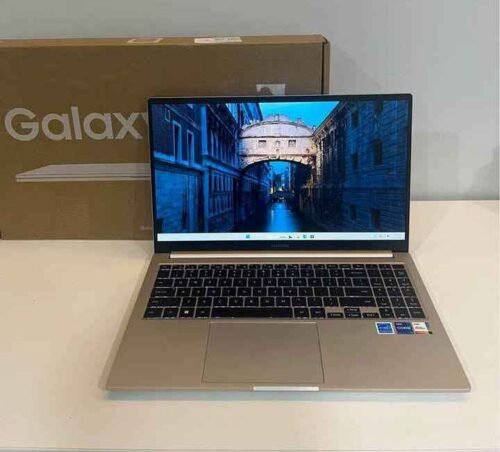
Samsung Galaxy Book 4 is one all-rounder kind of laptop and price is around ₹77,990 only. Inside it have Intel Core i7-1355U processor with 16GB LPDDR4X RAM and 512GB SSD storage is given. The most interesting part is Samsung ecosystem feature, which gives smooth connection between your Galaxy phone, tablet and this laptop together.
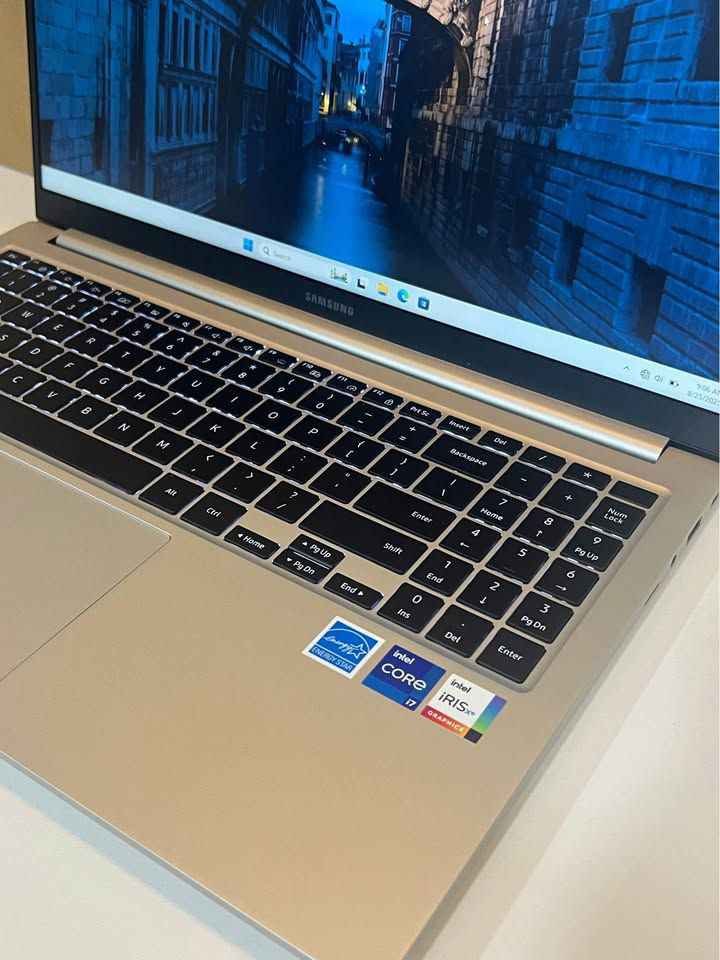
Now talking about the build quality, the laptop is having full metal body and weight is only 1.55 kg which is quite less. In hand it feels premium type and the silver colour finish looks very clean and professional also. The 15.6-inch Full HD display with 300 nits brightness is one step ahead than the 250-nit panels what we see in ASUS and HP models. Anti-glare coating is doing good job under indoor lights.
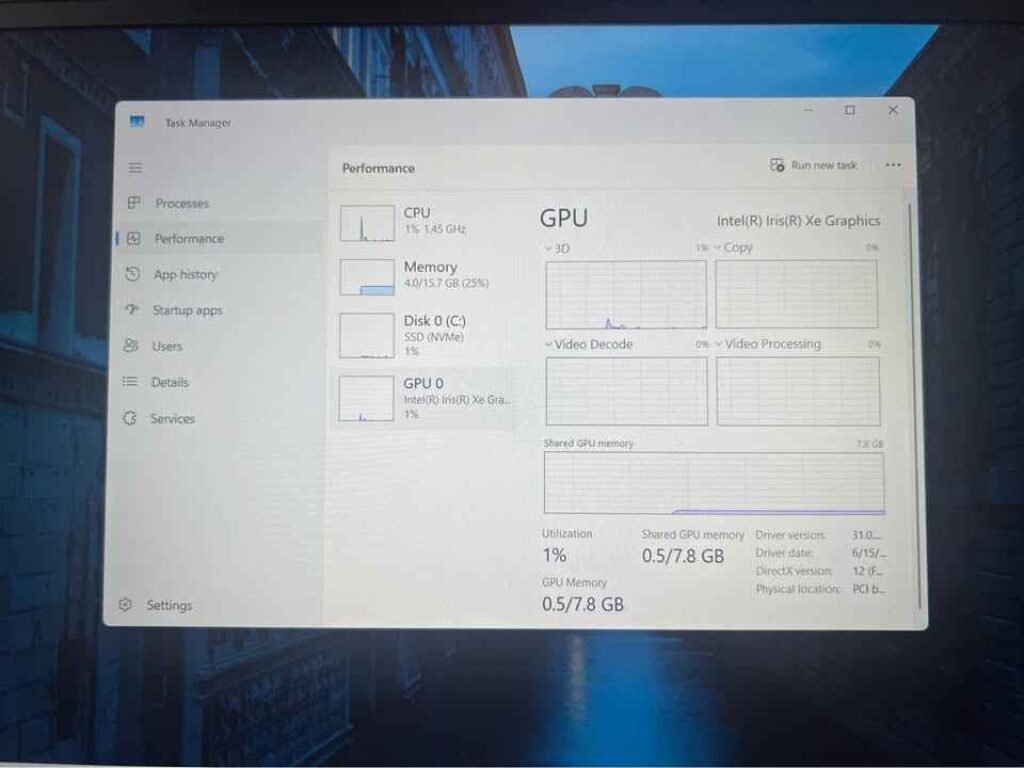
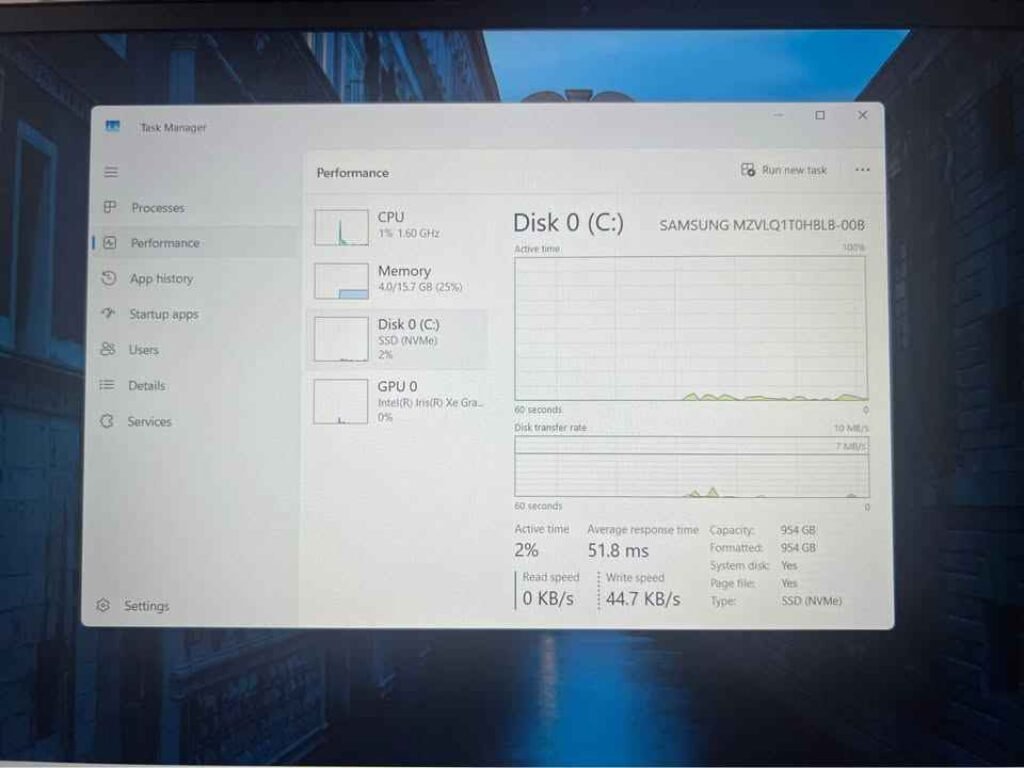
tab showing Disk 0 (C:) Samsung NVMe SSD stats — 954 GB capacity, 2%
active time, 51.8 ms average response time, 0 KB/s read speed, and 44.7
KB/s write speed during performance test.
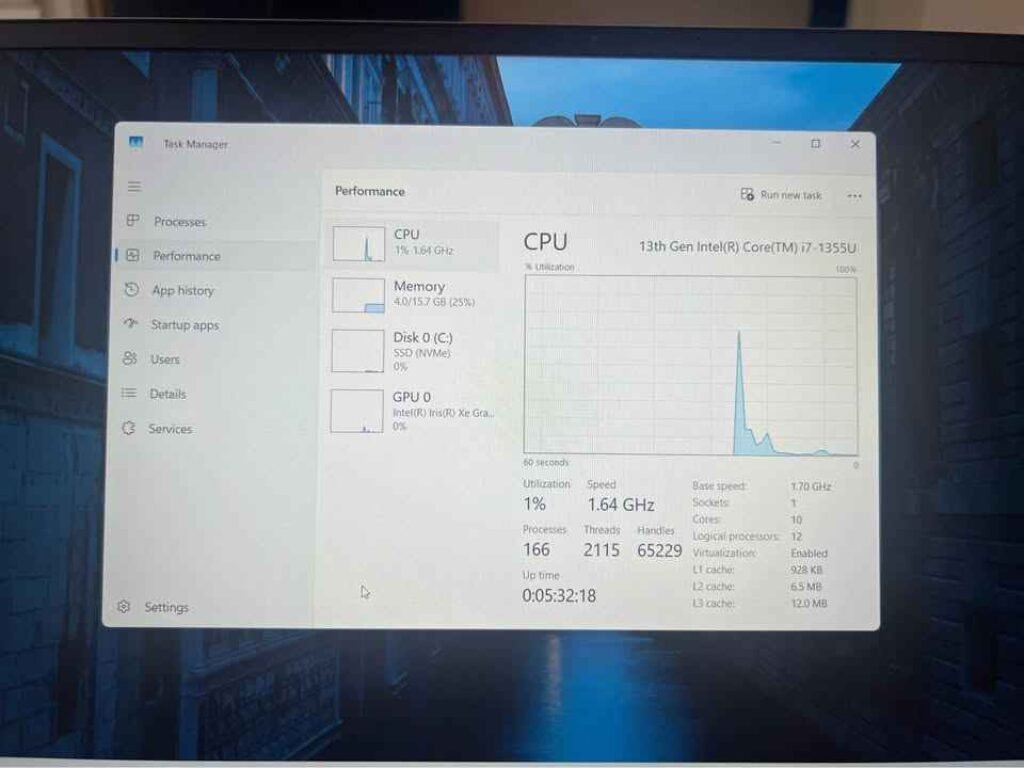
1.70 GHz base speed, 10 cores, 12 logical processors idle benchmark stats
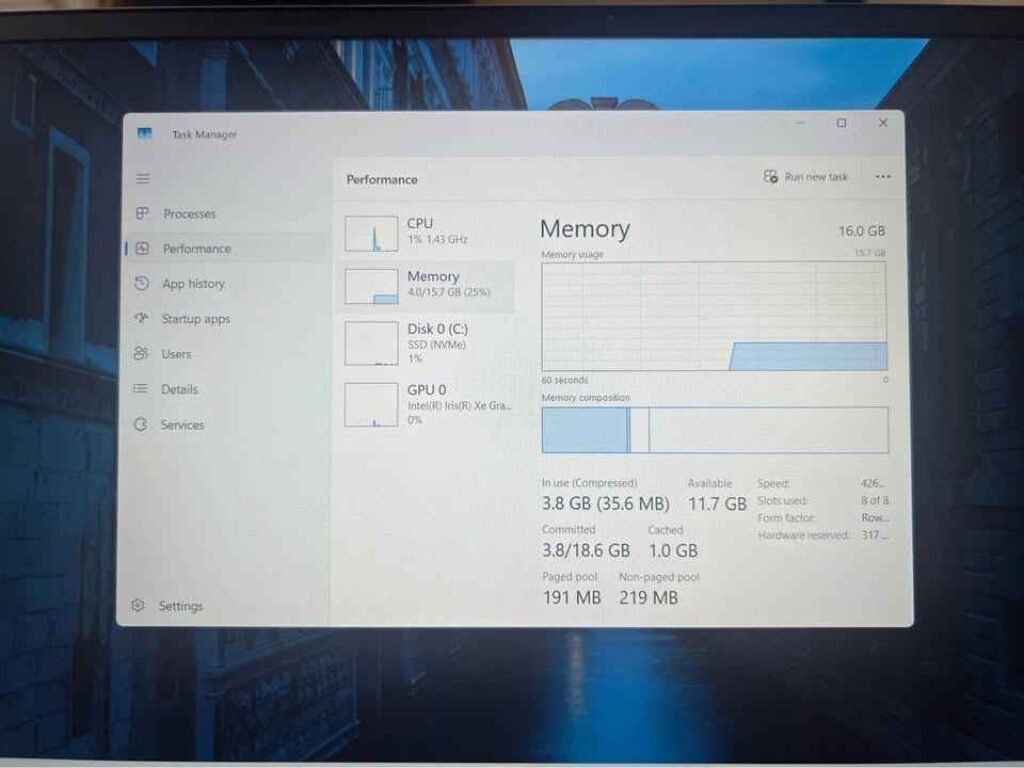
Performance tab with 16GB total RAM, 4.0GB in use (25%), 11.7GB available,
speed at 4266MHz, 8 of 8 memory slots used, NVMe SSD at 1% disk usage,
idle performance benchmark test.
Coming on the performance side, the i7-1355U processor gave us around 9,000 score in Cinebench R23 multi-core test. For daily usage works, it handles productivity tasks very smoothly without issue. We tried opening 20+ Chrome tabs together with Word, Excel and one video streaming also running, and the laptop did not show any hiccups. But the 16GB LPDDR4X memory is soldered type, means you cannot upgrade RAM in future. This point you should remember if you are thinking maybe more memory is needed later on.
One thing we really liked is the port selection of this laptop. It is giving 2x USB Type-C, 2x USB 3.2 Type-A, 1x HDMI, 1x MicroSD card reader and also 1x RJ45 LAN port. The RJ45 LAN port is rare thing in slim laptops these days and it is big plus point for users who like wired internet for more stable connection.
The Samsung ecosystem features is genuine benefit if you are already having other Galaxy devices in hand. Multi Control feature is allowing you to use the laptop’s keyboard and mouse for controlling your Galaxy phone or tablet directly. Phone Link app is giving access to your calls, messages and mobile apps straight from the laptop itself. Also you can open your phone’s files through File Explorer in wireless way.
About the battery part, it is having 54 WHr 4-cell lithium-ion battery and 45W USB Type-C charger comes along with it. In our video playback testing, the laptop runned for around 5 to 5.5 hours approximately. For mixed type usage, you can expect somewhere 4 to 4.5 hours backup. This is just average kind of result for a 15.6-inch laptop having U-series processor inside.
The laptop is running on Windows 11 home and one fingerprint reader is also there for secure login purpose. Keyboard is backlit type and trackpad is spacious and responsive also. It supports Dolby Atmos for better audio experience, but the speaker output is average only, nothing very special.
Overall, we are recommending the Samsung Galaxy Book 4 as the best laptop under 80000 with i7 processor for those users who are already invested in Samsung ecosystem and wanting one well-built, versatile laptop with very good port selection.
Specifications
| Feature | Detail |
| Dimensions | 35.7 x 22.9 x 1.5 cm |
| Weight | 1.55 kg |
| Processor | Intel Core i7-1355U (1.7 GHz, up to 5 GHz, 12MB cache) |
| RAM | 16GB LPDDR4X (Soldered) |
| Storage | 512GB SSD |
| Display | 15.6″ FHD (1920 x 1080), 60Hz, 300 nits, Anti-glare |
| Graphics | Intel Iris Xe Graphics (Integrated) |
| Battery | 54 WHr, 4-cell Li-ion, 45W USB-C Charger |
| OS | Windows 11 Pro |
| Webcam | 1MP, 720p |
| Keyboard | Backlit |
| Ports | 2x USB-C, 2x USB 3.2 Type-A, 1x HDMI, 1x MicroSD, 1x RJ45 LAN |
| Wireless | Wi-Fi 6, Bluetooth 5.2 |
| Warranty | 1 Year |
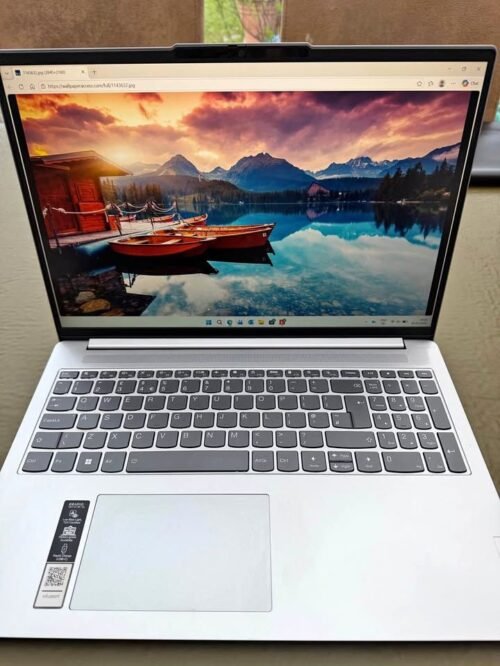
The Lenovo IdeaPad Slim 3 is the most feature-loaded laptop in this list if you see the full package together. Price is around ₹87,250 and it is coming with Intel Core i7-13620H processor, 16GB DDR5 RAM and a 1TB NVMe PCIe 4.0 SSD inside. The processor is same H-series like ASUS Vivobook 15, but here you are getting DDR5 memory and also double the storage which is a big point.
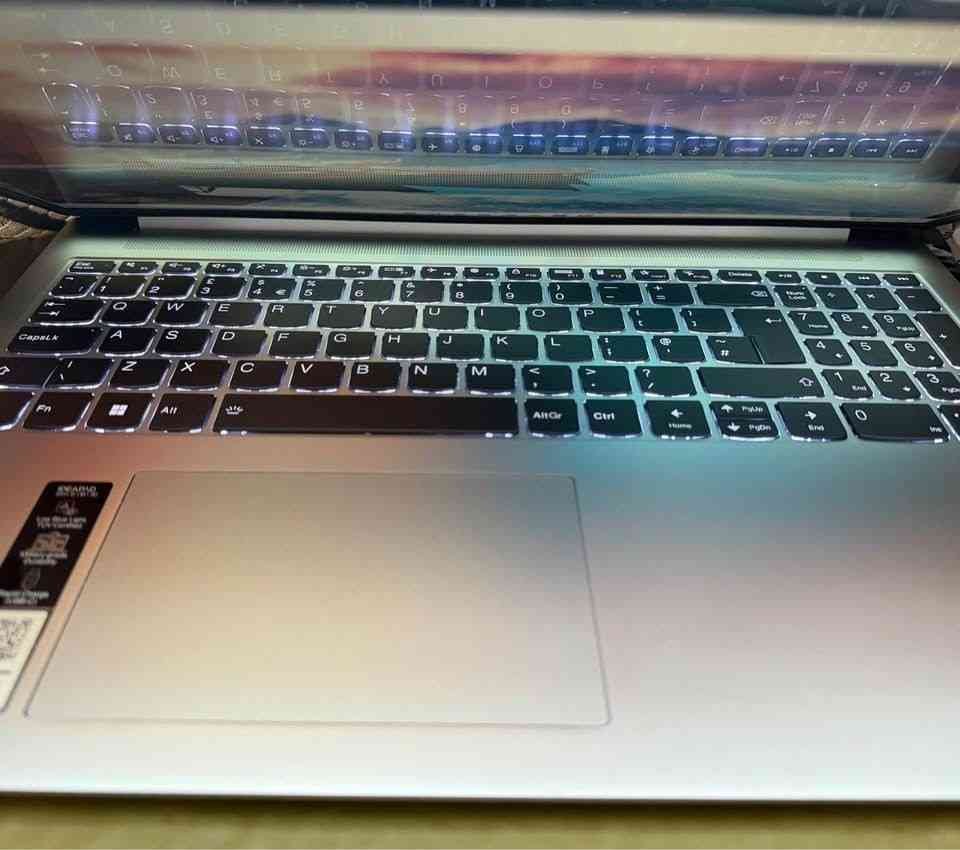
Now talking about performance side, the i7-13620H with DDR5-4800 RAM gave around 12,800 score in Cinebench R23 multi-core test, which is little bit better than ASUS Vivobook 15. DDR5 memory is having more bandwidth, so things like video editing, big spreadsheet work and heavy browser tabs multitasking, all these get benefit from it. The 1TB SSD is one big plus point because you will not face storage full problem for long time. In CrystalDiskMark, the SSD was giving sequential read speed near 3,600 MB/s.
One thing we really liked is the display of this laptop. It is 15.3-inch WUXGA (1920 x 1200) IPS panel, brightness 300 nits and also TUV Low Blue Light certified. The 16:10 ratio is giving some extra vertical space compare to normal 16:9 displays in other laptops of this list. This extra space is helpful specially for document writing, coding work and web browsing also. Anti-glare coating is also doing its job nicely.
Coming on the build part, the top cover is metal which is giving little premium feel in hand. Weight is 1.59 kg, which is okay for a 15.3-inch size laptop. Keyboard has backlight and key travel is also decent enough for typing. Trackpad is smooth and response is also good.
The laptop is coming with 1080p FHD webcam plus a privacy shutter, and honestly this is the best webcam in this whole list. Most of the other laptops are still giving only basic 720p camera. So if you are doing video calls daily, then this is a clear upgrade in clarity.
About the audio, it has user-facing stereo speakers (2W x 2) which are tuned with Dolby Audio. Sound output is better than average and is enough for casual movie watching or music without needing external speaker.
For battery, it is 50 WHr lithium-polymer one. In our video playback test at 50% brightness, the laptop was running around 5 to 5.5 hours. For mixed productivity type usage, you can expect somewhere around 4 to 5 hours. Since it is H-series processor inside, this number is acceptable I think.
For ports, you are getting 2x USB 3.2 Gen 1 Type-A, 1x USB Type-C (with power delivery and also DisplayPort support), 1x HDMI 2.1 and one 3.5mm combo audio jack. The Type-C is supporting both power delivery and display output, so connecting external monitor becomes easy.
In software side, the laptop comes with Windows 11 Home, Office Home 2024, Microsoft 365 Basic (1 year free) and also Xbox Game Pass Ultimate 3-month subscription. One more thing, it is giving 1-year Accidental Damage Protection (ADP) free, which is covering drops, spills and electrical surge type issues.
But, one important thing you should know is the RAM setup. The 16GB is split like 8GB soldered + 8GB SO-DIMM (DDR5-4800). Maximum RAM support is only 24GB (8GB soldered + 16GB SO-DIMM), which means upgrade option is bit limited if you compare with Acer Professional 15 that is supporting up to 64GB.
Overall, we will recommend the Lenovo IdeaPad Slim 3 for those users who want the best all-round combo with H-series performance, DDR5 memory, 1TB storage and a better webcam, and also they are okay to pay little extra over the ASUS Vivobook 15.
Specifications
| Feature | Detail |
| Dimensions | 34.3 x 23.9 x 1.8 cm |
| Weight | 1.59 kg |
| Processor | Intel Core i7-13620H (2.4 GHz, up to 4.9 GHz, 10 cores, 16 threads, 24MB cache) |
| RAM | 16GB DDR5-4800 (8GB Soldered + 8GB SO-DIMM, Max 24GB) |
| Storage | 1TB M.2 NVMe PCIe 4.0 SSD |
| Display | 15.3″ WUXGA (1920 x 1200), IPS, 300 nits, Anti-glare, TUV Low Blue Light |
| Graphics | Intel UHD Graphics (Integrated) |
| Battery | 50 WHr, Li-polymer |
| OS | Windows 11 Home |
| Webcam | 1080p FHD with Privacy Shutter |
| Keyboard | Backlit |
| Ports | 2x USB 3.2 Type-A, 1x USB-C (PD, DP), 1x HDMI 2.1, 1x Audio Jack |
| Wireless | Wi-Fi 6, Bluetooth 5.2 |
| Warranty | 1 Year + 1 Year ADP Free |
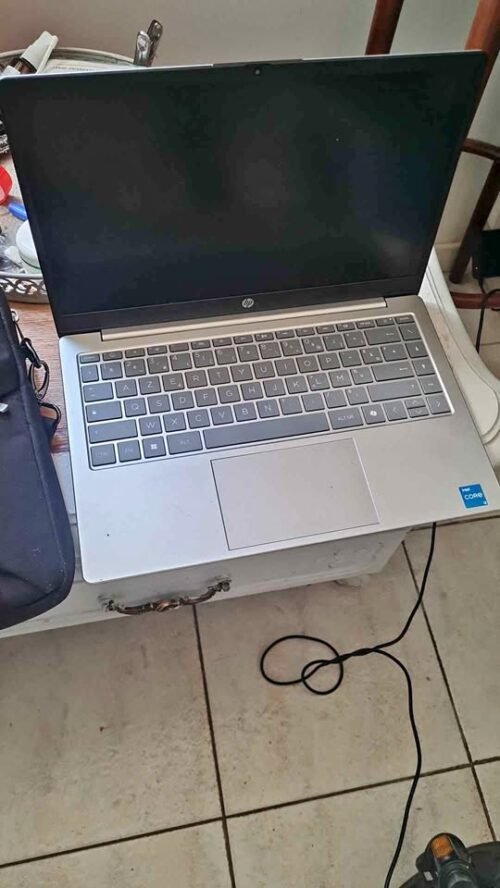
The HP 14 is most compact and lightweight option on this list. The price is around ₹87,990 and it is coming with Intel Core i7-1355U processor, 16GB DDR4 RAM and 512GB PCIe NVMe M.2 SSD inside. At only 1.4 kg weight and 14-inch form factor, this laptop is made for those users who are giving priority to portability before everything else.
Talking about display part, it has a 14-inch Full HD (1920 x 1080) micro-edge panel and anti-glare coating is also there. The micro-edge bezels are giving it more better screen-to-body ratio if we compare with traditional 14-inch laptops. Brightness is rated at 250 nits with only 62.5% sRGB coverage, which is enough for indoor usage but for any colour-accurate work this laptop is having limitations.
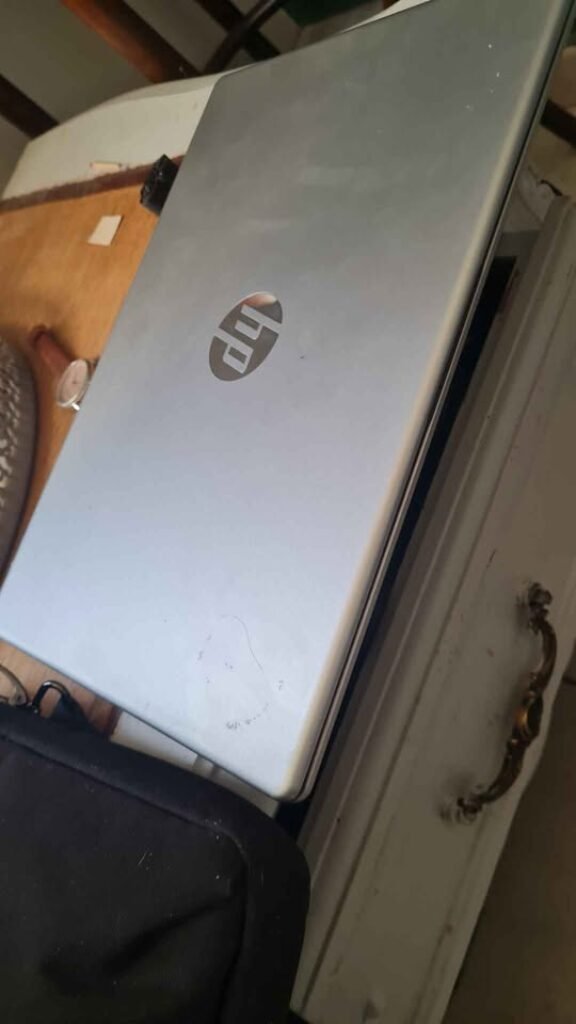
Coming on performance side, the i7-1355U processor is giving around 9,100 score in Cinebench R23 multi-core test. It is handling daily productivity work without any problem. One thing which is worth to note is that this laptop is coming with Intel Arc Graphics in place of Intel UHD or Iris Xe which we see in other options. Intel Arc is offering little bit more better graphical performance, which can become helpful for light creative work and casual gaming also.
The 16GB DDR4-3200 RAM is configured in 1x16GB style, and storage is 512GB PCIe NVMe SSD. Both are sufficient for most of the use cases.
One thing we found bit odd is the pricing part. At ₹87,990, it is much more expensive compare to ASUS Vivobook 15 which is offering more powerful H-series processor, larger 15.6-inch display and same RAM and storage in only ₹65,990. So basically the premium price here is for the compact form factor, less weight and Intel Arc Graphics only.
Talking about keyboard, it is a full-size backlit keyboard and numeric keypad is also packed inside the 14-inch chassis. Having numeric keypad in 14-inch laptop is useful for data entry work, but it also means the key pitch is becoming slightly compressed. The trackpad is decent in feel.
Coming to battery section, it has a 41 WHr lithium-ion battery which is the smallest one in this list. In our video playback testing at 50% brightness level, the laptop is lasting approximately 5 to 5.5 hours. For mixed productivity usage, you can expect around 4 to 4.5 hours of backup. Considering the smaller battery size, this is acceptable but not impressive.
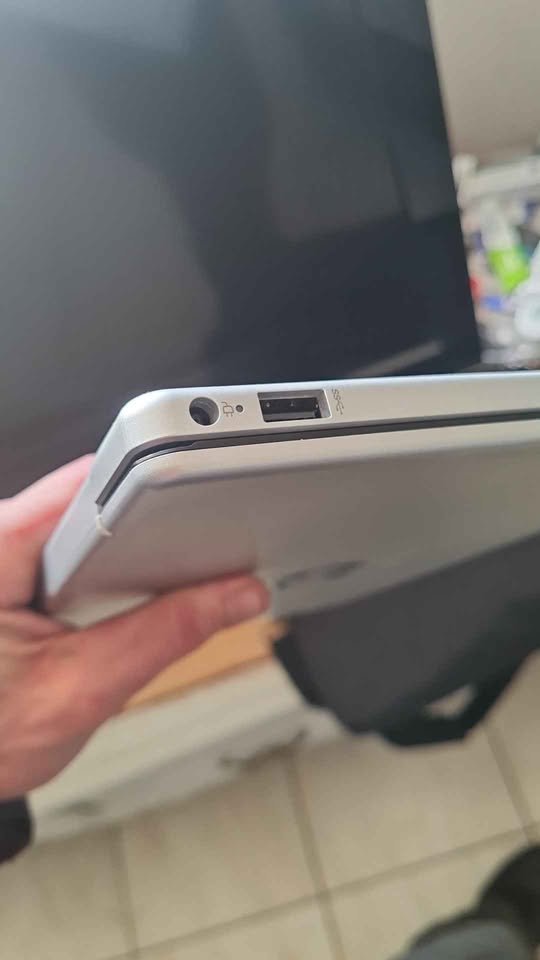
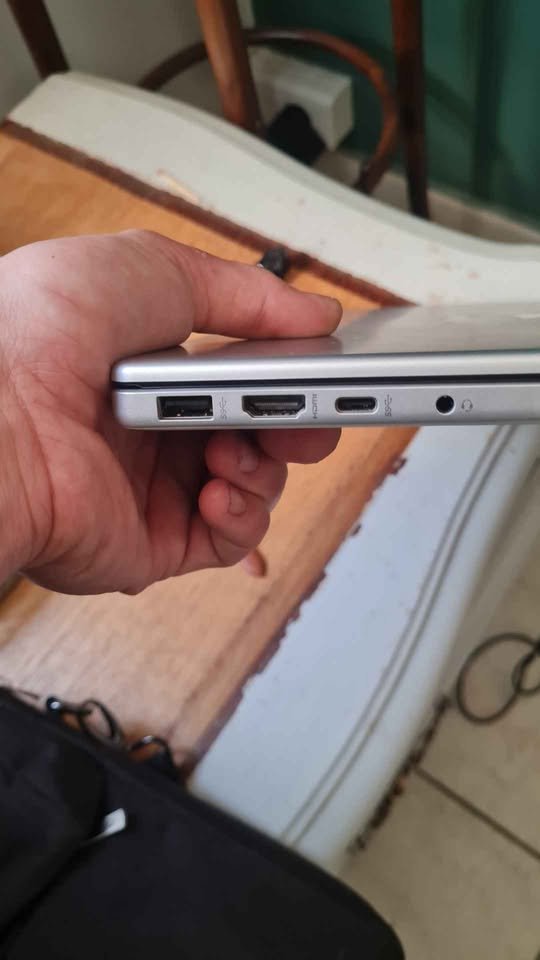
The port selection is including 2x USB Type-A (5Gbps), 1x USB Type-C (10Gbps with Power Delivery and DisplayPort 1.4b support), 1x HDMI 1.4b and one headphone/mic combo jack. The USB-C port is supporting HP Sleep and Charge feature, which means you can do charging of your phone even when the laptop is in sleep mode.
The laptop is supporting Wi-Fi 6 (2×2) and Bluetooth 5.4. It is running on Windows 11 Home and comes pre-loaded with Microsoft 365 (1 year) and Office Home 2024 also.
Overall, we are recommending the HP 14 as the best 14 inch laptop with i7 processor for those users who are needing highly portable, lightweight option and ready to pay the premium amount for the compact form factor.
Specifications
| Feature | Detail |
| Dimensions | 32.4 x 21.5 x 3.3 cm |
| Weight | 1.4 kg |
| Processor | Intel Core i7-1355U (up to 5.0 GHz, 12MB cache, 10 cores, 12 threads) |
| RAM | 16GB DDR4, 3200 MHz |
| Storage | 512GB PCIe NVMe M.2 SSD |
| Display | 14″ FHD (1920 x 1080), Micro-edge, Anti-glare, 250 nits, 62.5% sRGB |
| Graphics | Intel Arc Graphics (Integrated) |
| Battery | 41 WHr, Li-ion |
| OS | Windows 11 Home |
| Webcam | FHD Camera |
| Keyboard | Full-size, Backlit, Numeric Keypad |
| Ports | 2x USB Type-A (5Gbps), 1x USB-C (10Gbps, PD, DP 1.4b), 1x HDMI 1.4b, 1x Audio Jack |
| Wireless | Wi-Fi 6 (2×2), Bluetooth 5.4 |
| Warranty | As per manufacturer |
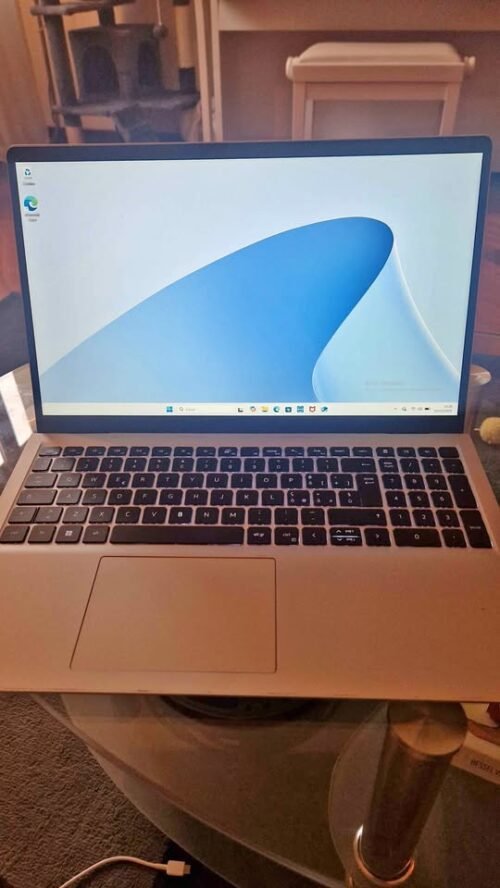
Dell 15 is the most costly laptop in this list, the price tag is ₹89,400. It is coming with Intel Core i7-1355U processor, 16GB DDR4 RAM and one 512GB SSD also. Although the main specs are almost same like Samsung and Acer options, but Dell 15 makes itself different by giving 120Hz display and that famous Dell build quality.
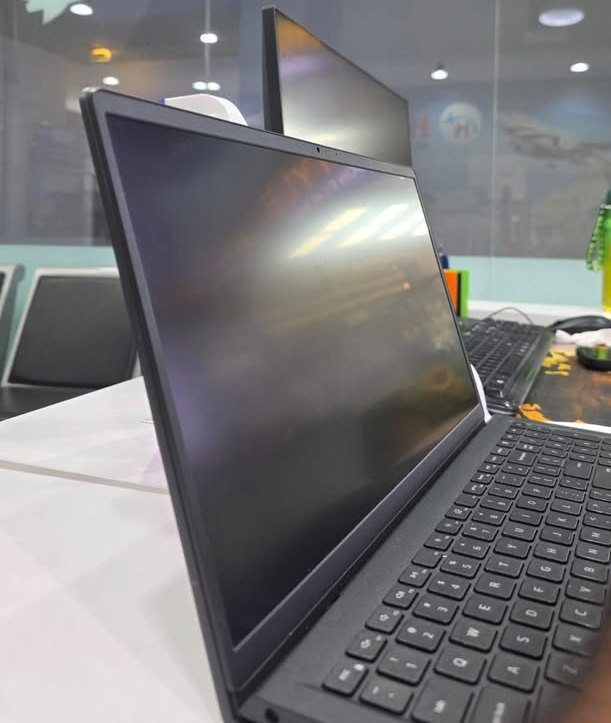
If we talk about display, it is having 15.6-inch Full HD (1920 x 1080) panel and refresh rate is 120Hz, which is most smoothest display in this whole list. Other all laptops here are giving only 60Hz panel. Because of this higher refresh rate, the scrolling, mouse cursor movement and normal navigation feels much more smoother. Brightness is rated 250 nits and anti-glare coating is also there. Dell ComfortView software is also coming pre-loaded, which is helping to reduce the harmful blue light when you are using laptop for long hours.
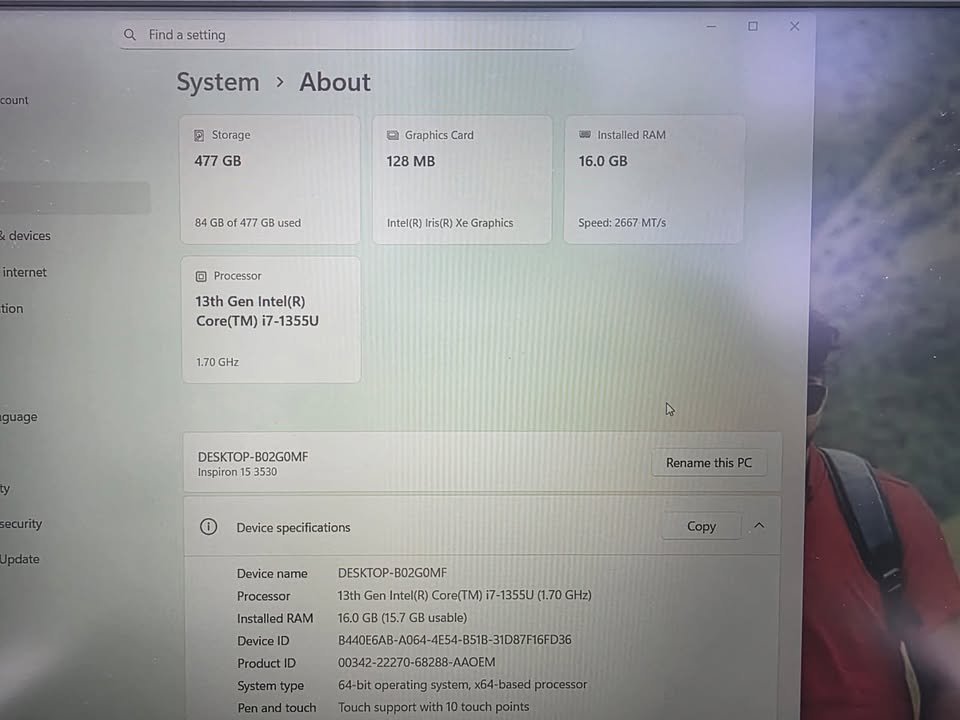
Coming on the performance side, the i7-1355U processor is giving around 9,000 score in Cinebench R23 multi-core test. Performance is almost similar like other U-series laptops of this list. Daily productivity work it is handling without any issue. The 16GB DDR4-3200 RAM is coming in 2-slot type configuration, one slot is already filled and one slot is empty for future upgrade. This is one practical benefit compared to those laptops where RAM is fully soldered on motherboard.
One thing which we liked in this laptop is its ergonomic design. The lifted hinge is raising the keyboard in a comfortable typing angle whenever you open the lid, so wrist strain is becoming less during long usage. Keyboard is having separate numeric keypad also and one calculator hotkey, which is very useful for those peoples who is doing number related work daily.
Talking about the build part, Platinum Silver finish is looking very professional type. The weight of laptop is 4.28 pounds (around 1.94 kg), so it is becoming the heaviest laptop in this list. This is not a good thing if you are carrying laptop here and there frequently. But the build is feeling solid and sturdy in hand.
Now coming on battery, it is having 54 WHr 4-cell battery inside. Company is claiming up to 6 hours backup. In our video playback testing at 50% brightness, the laptop is running around 5.5 to 6 hours, which is matching the claim. So battery performance is average only.
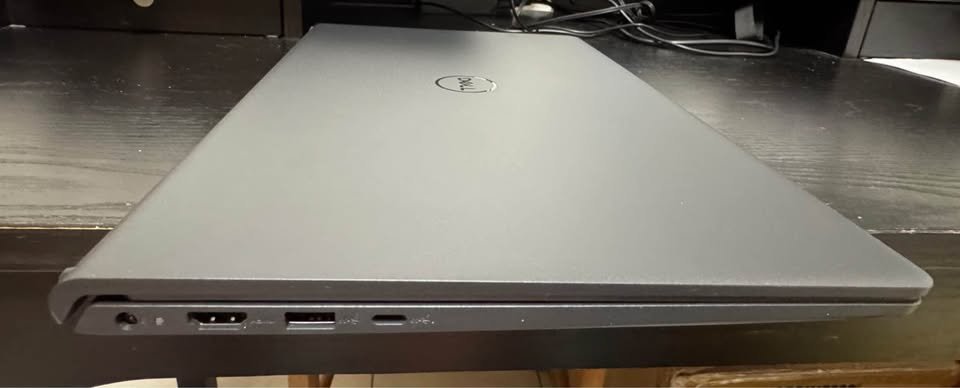
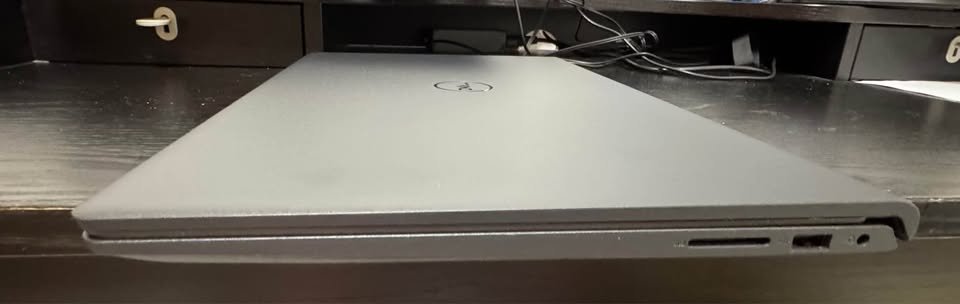
For ports, it is giving 2x USB 3.2 Gen 1, 1x USB 2.0, 1x HDMI and one SD card reader also. USB Type-C port is not given, which is a very notable miss at this price range in 2026 year. But SD card reader is one useful addition for photographer and content creator type users.
This laptop is coming with Intel UHD Graphics, Wi-Fi 6 and Bluetooth 5.3 support is there. Windows 11 Home is pre-installed and Microsoft Office 2024 is also coming pre-loaded. 1-year onsite service from Dell is also included, which is covering hardware related issues at your own location.
But one thing which we found little odd is, fingerprint reader is not there. At ₹89,400 price, biometric login option should be there as expected. Webcam is also a normal 720p type only.
This is not ideal because it is the costliest option in this list, but still it is using U-series processor, no fingerprint reader, no USB Type-C and weight is also near to 2 kg. The 120Hz display, onsite service and upgradable RAM slot are the only saving graces.
Overall, we are recommending Dell 15 for those users who is specifically wanting a smooth 120Hz display, Dell’s onsite service and future RAM upgrade option.
Specifications
| Feature | Detail |
| Dimensions | 35.8 x 23.5 x 1.8 cm |
| Weight | 1.94 kg (approx.) |
| Processor | Intel Core i7-1355U (1.2 GHz, up to 5 GHz, 10 cores, 12 threads, 12MB cache) |
| RAM | 16GB DDR4, 3200 MHz (1 slot used, 1 slot available) |
| Storage | 512GB SSD |
| Display | 15.6″ FHD (1920 x 1080), 120Hz, 250 nits, Anti-glare |
| Graphics | Intel UHD Graphics (Integrated) |
| Battery | 54 WHr, 4-cell |
| OS | Windows 11 Home |
| Webcam | 720p, 1080p resolution |
| Keyboard | Ergonomic, with Numeric Keypad |
| Ports | 2x USB 3.2 Gen 1, 1x USB 2.0, 1x HDMI, SD Card Reader |
| Wireless | Wi-Fi 6, Bluetooth 5.3 |
| Warranty | 1 Year Onsite Service |
How To Choose A Core i7 Laptop?
Processor Variant (H-series vs U-series)
The processor variant is the most important thing you should see first when buying a Core i7 laptop. All Core i7 processors are not same, this is a common confusion. The H-series (example i7-13620H) is made for high performance, it have higher TDP, more cores and give better sustained speed also. The U-series (example i7-1355U) is made for power saving, the TDP is lower, so battery life become better but sustained performance is less. If you do heavy multitasking, content creation or data processing type work, then H-series processor is better choice for you. For daily productivity work and if you want long battery backup, U-series is enough.
RAM Type and Capacity
In this price range, 16GB RAM is the standard for Core i7 laptops. But the type of RAM is also matter a lot. DDR5 give higher bandwidth than DDR4, which can give performance boost in memory heavy tasks. One more thing to check, the RAM is soldered or it use SO-DIMM slots. Soldered RAM you cannot upgrade later, but SO-DIMM slots give the flexibility to add more memory in future when you need.
Storage
Most laptops in this segment come with 512GB NVMe SSD. But Lenovo IdeaPad Slim 3 is giving 1TB in reasonable premium price. If your work is with large files, or you store media locally, or you don’t want headache of storage management, then 1TB is worth investment. Also see the SSD is PCIe 3.0 or PCIe 4.0, because PCIe 4.0 give much faster read/write speed than 3.0.
Display Quality
You should see display resolution, brightness, colour gamut and refresh rate together. 300 nits brightness is good for most indoor use, but 250 nits can feel little dim in some lighting condition. 120Hz refresh rate, like Dell 15 is giving, make daily navigation more smooth and pleasing. If you work long hours in front of screen, TUV Low Blue Light certification (Lenovo is having this) can reduce eye strain problem.
Build Quality and Portability
If you carry laptop daily here and there, then weight and build material is matter. Metal body feel more premium and also more durable than plastic body. In this range, laptops are available from 1.4 kg (HP 14) up to 1.94 kg (Dell 15), so you can pick according to your portability need.
Warranty and After-Sales
Warranty is varying a lot between brands. Acer Professional 15 is offering 3-year onsite warranty, but most other brands giving only 1 year warranty. Lenovo also include 1-year ADP, which is covering accidental damage also. These small things can save your good amount of money in long run.
Side-by-Side Comparison of the Best Core i7 Laptops Under ₹90,000
| Feature | ASUS Vivobook 15 | Acer Professional 15 | Samsung Galaxy Book 4 | Lenovo IdeaPad Slim 3 | HP 14 | Dell 15 |
| Processor | i7-13620H | i7-1355U | i7-1355U | i7-13620H | i7-1355U | i7-1355U |
| RAM | 16GB DDR4 | 16GB DDR4 | 16GB LPDDR4X | 16GB DDR5 | 16GB DDR4 | 16GB DDR4 |
| Storage | 512GB SSD | 512GB SSD | 512GB SSD | 1TB SSD | 512GB SSD | 512GB SSD |
| Display Size | 15.6″ | 15.6″ | 15.6″ | 15.3″ | 14″ | 15.6″ |
| Resolution | 1920×1080 | 1920×1080 | 1920×1080 | 1920×1200 | 1920×1080 | 1920×1080 |
| Refresh Rate | 60Hz | 60Hz | 60Hz | 60Hz | 60Hz | 120Hz |
| Brightness | 250 nits | 300 nits | 300 nits | 300 nits | 250 nits | 250 nits |
| Graphics | Intel UHD | Intel Iris Xe | Intel Iris Xe | Intel UHD | Intel Arc | Intel UHD |
| Weight | 1.70 kg | 1.36 kg | 1.55 kg | 1.59 kg | 1.4 kg | 1.94 kg |
| Battery | 42 WHr | 55.2 WHr | 54 WHr | 50 WHr | 41 WHr | 54 WHr |
| Webcam | 720p | 720p | 720p | 1080p | FHD | 720p |
| OS | Win 11 Home | Win 11 Pro | Win 11 Pro | Win 11 Home | Win 11 Home | Win 11 Home |
| Fingerprint | No | Yes | Yes | No | No | No |
| Wi-Fi | Wi-Fi 6E | 802.11a/b/g/n | Wi-Fi 6 | Wi-Fi 6 | Wi-Fi 6 | Wi-Fi 6 |
| Bluetooth | Yes | 5.4 | 5.2 | 5.2 | 5.4 | 5.3 |
| USB-C | Yes (PD) | Yes | Yes | Yes (PD, DP) | Yes (PD, DP) | No |
| Warranty | 1 Year | 3 Years Onsite | 1 Year | 1 Year + ADP | 1 Year | 1 Year Onsite |
FAQ on Core i7 Laptops Under ₹90,000
For everyday kind of works like browsing internet, doing document editing and watching videos online, a Core i5 is actually more than enough for normal user. But if you are doing multitasking heavily with too many apps opening at same time, or working on big files, or you have plan to use the same laptop for next 4 to 5 years, then Core i7 will give you better future-proofing in long run.
The i7-13620H is basically an H-series chip which is made for higher sustain performance over long time. It comes with 10 cores, 16 threads and also a higher TDP rating. On the other hand, i7-1355U is a U-series processor which is more optimised for power saving and battery efficiency, having 10 cores but only 12 threads with much lower TDP. From the testing we did, the H-series gave around 30 to 40% better multi-core performance compare to U-series, which is quite significant difference.
We also did a detailed Ryzen 9 8940HX vs Core Ultra 9 275HX comparison for reference.
DDR5 is offering higher memory bandwidth when you compare it to DDR4, and this can give some benefit in memory-intensive type of tasks. However, for daily normal usage, the real-world difference between DDR4 and DDR5 is very minimal, you will hardly notice it. DDR5 is definitely more future-proof choice, but it should not be the only one factor for taking your decision.
Yes, all the laptops mentioned in this list can easily handle light gaming, specially with older titles or games which are less demanding on hardware. The HP 14 with Intel Arc Graphics is giving marginally better gaming performance when compared to others on the list. But honestly speaking, none of these laptops are suitable for heavy AAA gaming type of titles, for that purpose you definitely need a laptop with dedicated GPU inside.
Final Thoughts
Choosing the right laptop is a very personal kind of decision and it mostly depends on your own specific needs and how you are going to use it daily.
If budget is your main concern and you want best performance for every rupee you spend, the ASUS Vivobook 15 at around ₹65,990 is really hard to beat, mainly because of its H-series processor inside. For the professional users who give value to longer warranty period and also want Windows 11 Pro out of the box, the Acer Professional 15 at close to ₹74,990 is excellent option to go with. If you are already inside the Samsung ecosystem with phone and tablet, then Galaxy Book 4 at around ₹77,990 will give you seamless device integration which feels really smooth. For best all-round package having DDR5 memory, 1TB storage and a proper 1080p webcam, the Lenovo IdeaPad Slim 3 at around ₹85,000 is the way to go without any doubt. For people who want extreme portability and lightweight feel, the HP 14 at ₹87,990 is the lightest option available in this segment. And if smooth display is your top priority, then the Dell 15 with its 120Hz panel at ₹89,400 is the only one choice you have here.
Actually speaking, if you pick any laptop from this best Core i7 laptops under ₹90,000 list, you really can’t go wrong with your choice. All these devices on the list are best in their class, giving wide range of features and most importantly reliable performance with very minimal compromise on any side.
If I personally had to pick only one best Core i7 laptop under ₹90,000, then without any doubt it would be the ASUS Vivobook 15. My decision is based on few key factors, where processor performance, value for the money you pay, and overall build quality are the most critical points for me.